
prospect-wiki Add Your Business
Sasikumar Rajendran

Sasikumar Rajendran

verified MicroSaaS Devoper

UI/UX Team Lead at Vee Technologies, Salem, Tamil Nadu, India

Coimbatore, Tamil Nadu, India

24 Viewed

Profile last updated - 11 Apr 2026

Skills:

  • AI Agent
  • Agentic AI
  • GenAI
  • AI Automation
  • Prompt
  • jQuery
  • HTML5
  • CSS
  • Angular
  • React JS
  • Bootstrap
  • Figma
  • XD
  • illustrator
  • Photoshop
Share

AI Hub

Basic Telegram automation

Category: AI Automations / Workflows

Industry: Marketing & Advertising

1. First add Telegram > onMessage Node go to Telegram app > find BotFather >create new bot chat and Create API Key Done! Congratulations on your new bot. You will find it at  t.me/sashidziner_bot  . You can now add a description, about section and profile picture for your bot, see /help for a list of commands. By the way, when you’ve finished creating your cool bot, ping our Bot Support if you want a better username for it. Just make sure the bot is fully operational before you do this. Use this token to access the HTTP API: (automatic generate API key) Keep your token secure and store it safely, it can be used by anyone to control your bot. For a description of the Bot API, see this page:  https://core.telegram.org/bots/api generate API key copy past and Credential to connected 2. Basic LLM Chain Source for Prompt (User Message) > select Define below Prompt (User Message) > Reply the user requested query: {{ $json.message.text }} 3. OpenAI Chat Model Credential to connect with Model - gpt-4.1-mini 4. Telegram > Send a text message Node Credential to connect with Chat ID (left side schema drag and drop) Text (left side schema drag and drop) Additional Fields > Append n8n Attribution > disable toggle button 5. Finally, Conversation Telegram before Execute Workflow Run

Content (SMP + Website)

Category: AI Automations / Workflows

Industry: Enterprise/Corporate Automation

Tools Used: OpenAI + Copilot + Copy AI Content (SMP + Website) — This refers to the type of content you create or work with: SMP = Social Media Posts (content created for platforms like Instagram, LinkedIn, Facebook, etc.) Website = Web content such as landing pages, blogs, about pages, service pages, etc. Tools Used: OpenAI + Copilot + Copy AI — These are the AI tools you use to create that content: OpenAI = ChatGPT or GPT-4 based writing/generation Copilot = Microsoft Copilot (AI assistant integrated in Microsoft 365 tools) Copy AI = A dedicated AI copywriting tool for marketing content

Automated AI Poster (SMP) Workflow

Category: AI Automations / Workflows

Industry: Marketing & Advertising

Tools Used: Gemini    Automated AI Poster (SMP) Workflow refers to a system or process where AI is used to automatically generate and post content on Social Media Platforms (SMP) — such as Instagram, LinkedIn, Facebook, Twitter/X, etc. — without manual effort each time. Tools Used: Gemini tells visitors that Google's Gemini AI is the engine powering this workflow — likely being used to generate captions, post copy, image descriptions, hashtags, or other social content automatically. What this section conveys on your profile: You have experience building or using AI-powered automation workflows for social media. You work with cutting-edge AI tools (Gemini by Google). You understand how to integrate AI into a real-world content pipeline , which is a valuable and in-demand skill.

Meeting Schedule Process

Category: AI Automations / Workflows

Industry: Sales Intelligence

Tools Used: N8N + Google Calendar + Open AI This describes an automated meeting scheduling workflow — a system that handles the end-to-end process of booking, managing, and organizing meetings without manual intervention. Tools Used N8N is a workflow automation platform (like Zapier or Make) that acts as the central "brain" connecting everything together. It listens for triggers, runs logic, and passes data between apps. Google Calendar is the scheduling backbone — it stores meeting events, checks availability, creates calendar invites, and sends notifications to participants. OpenAI provides the AI layer — it can understand natural language requests (e.g., "Schedule a meeting with John next Tuesday at 3pm"), parse intent, extract details like date/time/attendees, and generate responses or confirmations. How It Likely Works Together A user submits a meeting request (via form, chat, email, etc.) N8N receives the trigger and sends the request text to OpenAI OpenAI interprets the request and extracts structured info — who, when, what N8N uses that data to check and create an event in Google Calendar Invites and confirmations are sent automatically to all participants Why This Is Worth Highlighting on a Profile This shows you can build AI-powered automation pipelines — combining no-code tools (N8N), cloud services (Google Calendar), and LLMs (OpenAI) into a practical, real-world workflow. It's a strong signal of technical problem-solving and modern tool fluency.

Social Media Automation

Category: AI Automations / Workflows

Industry: Marketing & Advertising

Tools Used: MAKE.COM + Google Sheet + Open AI+SMP tools This is an automated content pipeline that creates and publishes social media posts automatically — without manual effort — by connecting several tools together. Tools & Their Roles 1. Google Sheets Acts as the content database / control panel . You store your post ideas, captions, scheduled dates, image prompts, or status updates here. It's the starting point that triggers the whole automation. 2. Make.com (formerly Integromat) This is the automation engine / workflow builder . It watches Google Sheets for new rows or updates, then connects all the other tools in the right sequence. Think of it as the "brain" that orchestrates everything — it reads your sheet, sends data to OpenAI, then pushes the final content to social media. 3. OpenAI Handles the AI content generation . Make.com sends your topic or prompt to OpenAI (like ChatGPT), which then writes polished captions, hashtags, or post copy automatically — saving you from writing everything manually. 4. SMP Tools (Social Media Publishing Tools) These are the final delivery tools — platforms like Buffer, Hootsuite, or native API connections that actually post your content to Instagram, Facebook, LinkedIn, Twitter/X, etc., at the scheduled time.

Scraping of Email ID’s from Google Map

Category: AI Automations / Workflows

Industry: Enterprise/Corporate Automation

Tools Used: N8N + Google Sheet Project Overview This project automates the process of extracting business email IDs listed on Google Maps using N8N, a powerful no-code/low-code workflow automation tool. The scraped data is then automatically stored and organized in Google Sheets for easy access and further use. Project: Email ID Scraping from Google Maps Tools Used: N8N (Workflow Automation) + Google Sheets Project Overview This project automates the process of extracting business email IDs listed on Google Maps using N8N, a powerful no-code/low-code workflow automation tool. The scraped data is then automatically stored and organized in Google Sheets for easy access and further use. How It Works Step 1 – Trigger & Search Setup A workflow is configured in N8N to search for specific business categories or locations on Google Maps (e.g., "restaurants in Mumbai" or "IT companies in Bangalore"). Step 2 – Data Extraction N8N fetches business listing details from Google Maps, including business name, address, phone number, website, and email ID (where publicly available). Step 3 – Email Parsing The workflow visits business websites (if linked) and parses the page content to extract publicly listed email addresses using regex or HTTP request nodes within N8N. Step 4 – Data Storage All extracted email IDs along with business details are automatically pushed and stored into a Google Sheet in a structured, organized format — ready for outreach or analysis. Key Highlights Fully Automated — No manual copy-pasting; the entire flow runs on autopilot Scalable — Can scrape hundreds of listings across multiple cities or categories Organized Output — Data is neatly stored in Google Sheets with columns like Business Name, Email, Phone, Website, Location No-Code Solution — Built entirely using N8N's visual workflow editor without writing heavy code Use Case / Purpose This project is ideal for lead generation , B2B outreach , market research , and business directory building — helping sales and marketing teams build targeted email lists efficiently.

LinkedIn Automated Lead Generation

Category: AI Automations / Workflows

Industry: Enterprise/Corporate Automation

Tools Used: SerpAPI + Open AI + Google Search Engine + OpenRouter Tools & Technologies Used SerpAPI — Used to programmatically scrape Google Search results to discover LinkedIn profiles, company pages, and relevant prospects based on targeted keywords and filters. Google Search Engine — Acts as the search backbone, querying specific niches, job titles, industries, or locations to surface high-quality lead candidates from across the web. OpenAI — Powers the AI layer for intelligent tasks such as generating personalized outreach messages, summarizing prospect profiles, qualifying leads based on predefined criteria, and crafting context-aware connection request notes. OpenRouter — Serves as a unified API gateway to access and switch between multiple LLM models (e.g., GPT-4, Claude, Mistral) for cost optimization and flexibility in AI-driven tasks. How It Works A target persona is defined (e.g., "SaaS founders in the US with 10–50 employees"). SerpAPI queries Google to find matching LinkedIn profiles or company pages. Prospect data is extracted and passed through OpenAI (via OpenRouter) to qualify relevance and generate personalized outreach copy. The system outputs a structured lead list with ready-to-send messages, saving hours of manual research and writing. Key Outcomes Automated end-to-end lead discovery and outreach preparation Personalized messaging at scale using AI Flexible multi-model support via OpenRouter for cost-efficient operations Significant reduction in manual prospecting time

End-to-End B2B Lead Generation

Category: AI Automations / Workflows

Industry: Sales Intelligence

Tools Used: SerpAPI + Google Search Engine + Gemini Built a fully automated B2B lead generation pipeline that identifies, enriches, and qualifies potential business leads without manual effort. The system uses SerpAPI integrated with Google Search Engine to programmatically scrape and retrieve targeted company and contact data based on custom queries (e.g., industry, location, job title). The raw search results are then passed to Google Gemini (LLM), which intelligently extracts structured lead information — such as company name, decision-maker, contact details, and relevance score — from unstructured web content. The pipeline covers the full lead generation lifecycle: discovery → extraction → enrichment → qualification , making it suitable for sales teams, marketing automation, or outreach campaigns. Key Highlights: Automated search query generation based on ICP (Ideal Customer Profile) LLM-powered data extraction and lead scoring using Gemini Structured output (CSV/JSON) ready for CRM integration Scalable and configurable for different industries or geographies

1000+ AI Outbound Batch Call Integration with Google Sheet

Category: AI Automations / Workflows

Industry: Sales Intelligence

Tools Used: VAPI + Make.com This project automates outbound phone calls at scale — sending 1,000+ AI-powered voice calls to contacts stored in a Google Sheet, without any manual dialing. It combines VAPI (an AI voice calling platform) and Make.com (a no-code automation tool) to build a fully automated outbound calling pipeline. 1. Google Sheet as the Data Source All contact data (names, phone numbers, custom variables) lives in a Google Sheet. This acts as the single source of truth — you simply populate the sheet and the automation handles the rest. 2. Make.com as the Automation Engine Make.com reads rows from the Google Sheet and triggers VAPI API calls for each contact. It handles the logic — looping through 1,000+ rows, managing batch sizes, handling errors, and updating call statuses back into the sheet. 3. VAPI for AI Voice Calling VAPI powers the actual phone calls. It uses an AI voice agent (with a configured script/prompt) to conduct real conversations — answering questions, collecting responses, or delivering messages — without a human on the line. 4. Status Update & Logging After each call, Make.com writes the call outcome (completed, no answer, voicemail, etc.) back to the Google Sheet, giving you a live call log. Key Capabilities Batch processing of 1,000+ contacts from a single sheet Personalized calls using dynamic variables (e.g., first name, appointment time) pulled from the sheet AI conversations — not just pre-recorded messages, but live interactive dialogue Real-time logging — call results written back to Google Sheets automatically Scalable — the same workflow handles 100 or 10,000 contacts Who This Is For This integration is valuable for businesses running appointment reminders, lead follow-ups, survey calls, event notifications, or customer re-engagement campaigns — any use case requiring high-volume outbound calling without a large human call center. Why This Combination Works VAPI handles the complex AI telephony layer, while Make.com provides the visual, no-code orchestration to connect it with everyday tools like Google Sheets. Together, they make enterprise-grade call automation accessible without custom software development.

AI Inbound Call Integration with CRM

Category: AI Automations / Workflows

Industry: Sales Intelligence

AI Inbound Call Integration with CRM refers to the use of artificial intelligence to handle incoming phone calls and automatically connect that interaction data with a Customer Relationship Management (CRM) system like Salesforce, HubSpot, Zoho, or similar platforms. AI Side (Inbound Call Handling): The AI component typically involves tools like conversational AI, IVR (Interactive Voice Response), or voice bots (e.g., Twilio, Google Dialogflow, AWS Connect, or similar) that can answer calls, understand customer intent through natural language processing (NLP), collect information, and route or respond intelligently — without requiring a human agent for every call. CRM Integration Side: Once the AI handles or captures the call, it syncs data directly into the CRM — logging the call, updating contact records, creating tickets or leads, triggering follow-up workflows, and making that interaction history available to sales or support teams in real time. Why it matters: This kind of integration streamlines customer service, reduces manual data entry, ensures no lead or support case falls through the cracks, and gives teams full visibility into every customer touchpoint. use case you could mention: "When a customer calls in, the AI bot captures their details, identifies their query, and automatically creates or updates their record in the CRM — so when a human agent follows up, they have full context."

About

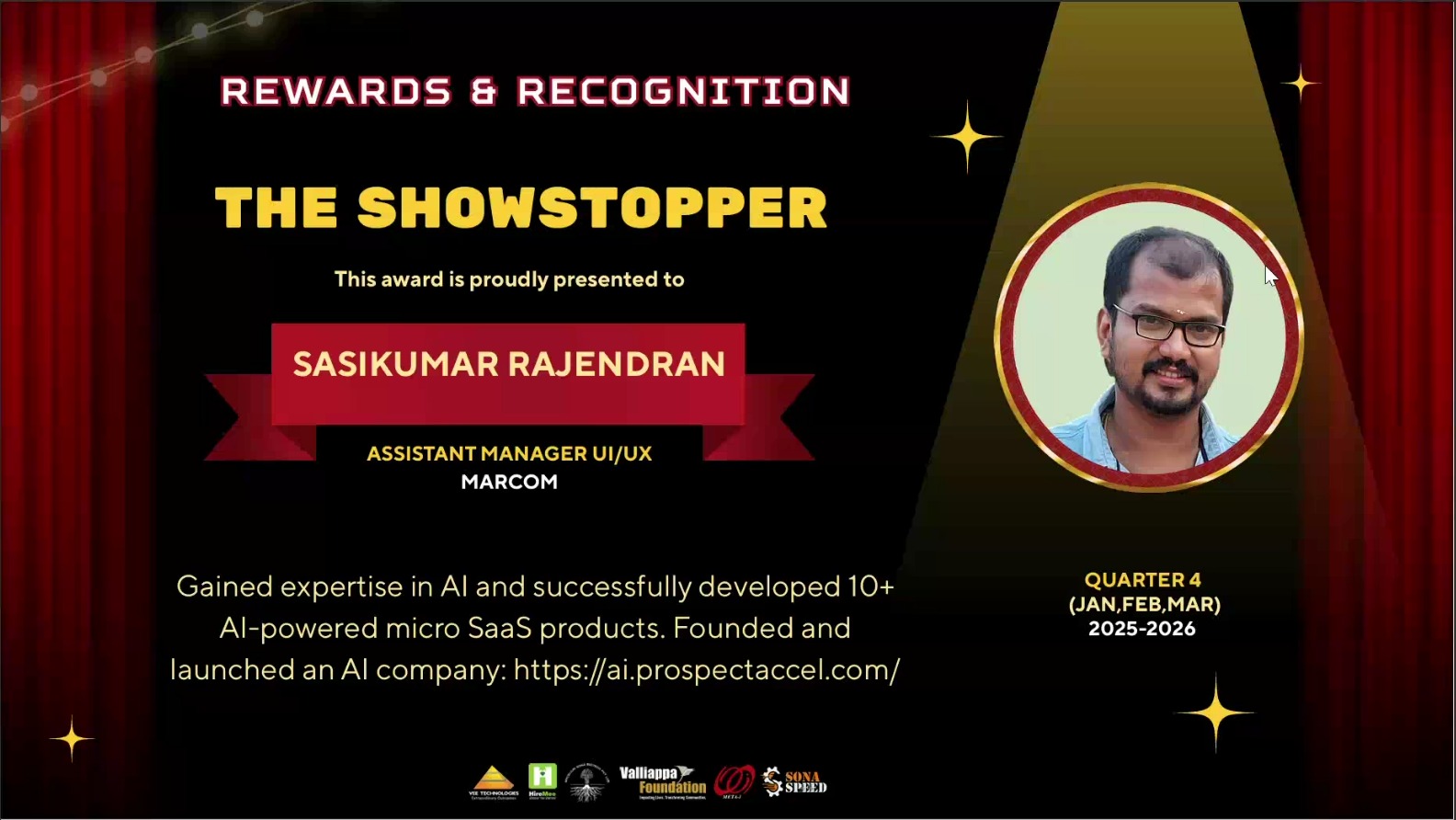
I’m an Assistant Manager - UI/UX & Frontend Engineering with 18+ years of experience building scalable, user-centric web applications. 
My background combines UI/UX leadership, frontend engineering, and modern JavaScript frameworks, enabling me to deliver high-quality digital products end-to-end. In recent work, I actively design and build AI-powered solutions, including Micro-SaaS products, RAG (Retrieval Augmented Generation) systems, agentic workflows, and real-world automations. 
I focus on translating complex AI capabilities into usable, reliable, and business-ready interfaces. I work hands-on across: Designing AI-first user experiences Building responsive frontends (Angular, React, Vue) Creating RAG pipelines for document-driven intelligence Implementing agentic workflows for task automation and decision support Developing Micro-SaaS tools that solve focused business problems Applying prompt engineering and AI orchestration to production workflows My approach is human-centered, pragmatic, and delivery-focused-using AI to improve speed, quality, and decision-making while maintaining usability, ethics, and maintainability.
Read more

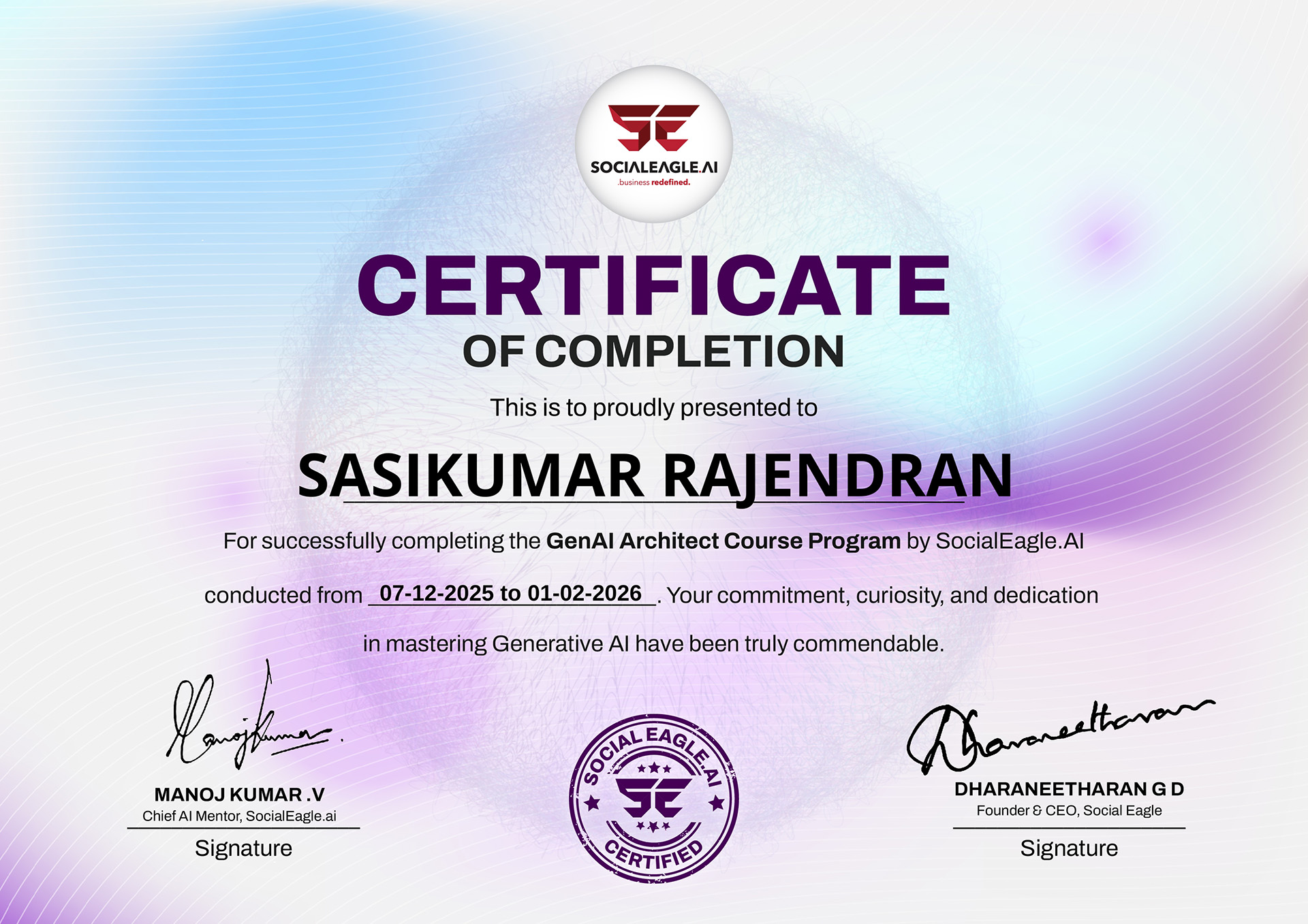
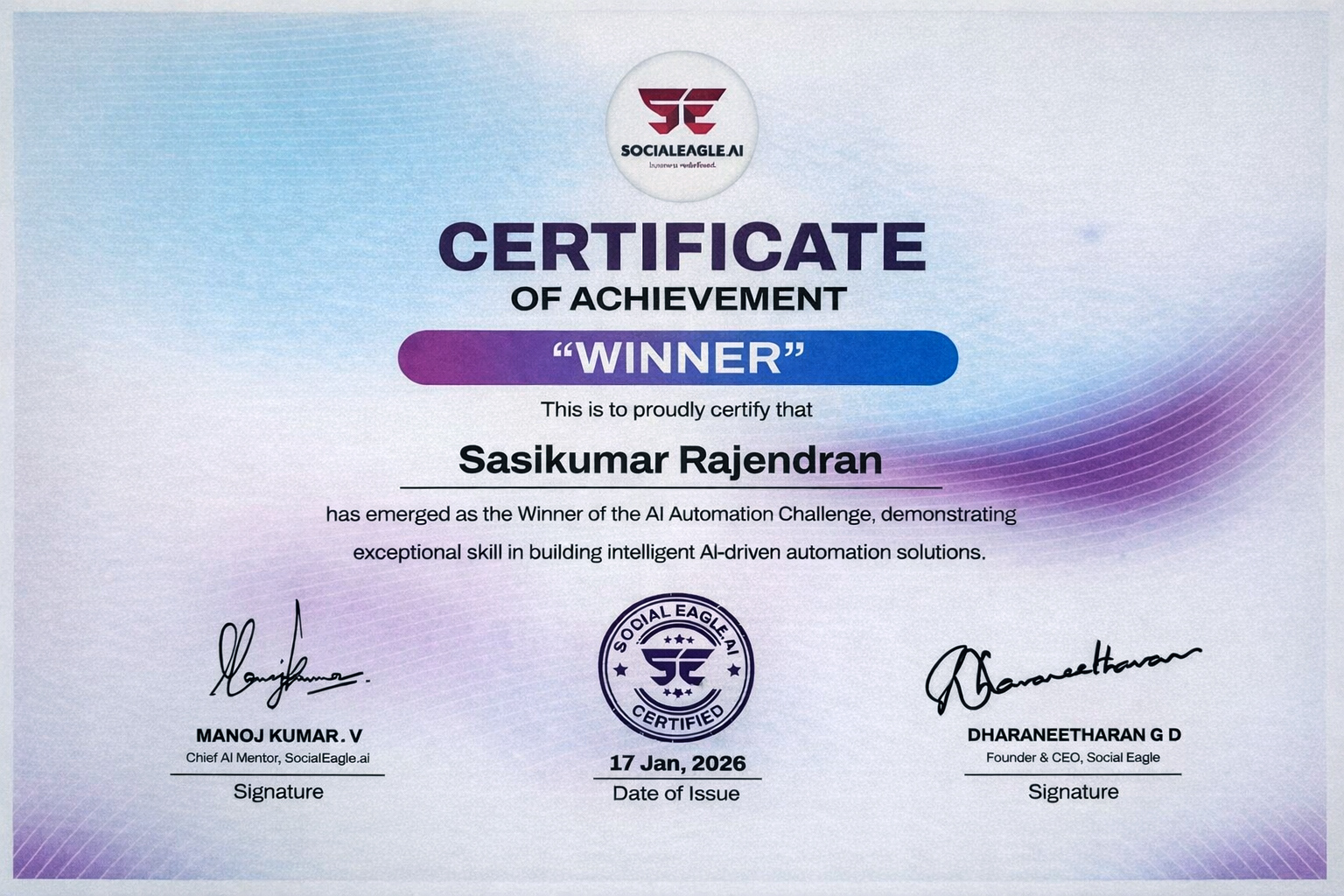
Licenses & certifications

Business Information

Contact Number:

9994199001

Personal Information

Contact Number:

9344609001

Experience

Assistant Manager Present

Fulltime | May 2025 to Present

India, Tamil Nadu, Salem

• Front end Develop web applications for desktop using Angular. • Build highly interactive UIs that look and feel great. • Prior Experience in Developing Websites/portals/ Individual project handling would be an advantage. • Experience in Responsive website development. Convert FIGMA into a responsive HTML page for websites. • Follow best practices and standards for accessibility and cross-browser compatibility • Communicate with Clients and will be able to explain to team members. • Should be able to develop and manage the complete projects from start to end.

Read more

UI/UX Team Lead

Fulltime | May 2022 to May 2025

India, Tamil Nadu, Salem

•  Front end Develop web applications for desktop using Angular.  • Build highly interactive UIs that look and feel great.  • Prior Experience in Developing Websites/portals/ Individual project handling would be an advantage.  • Experience in Responsive website development. Convert FIGMA into a responsive HTML page for websites.  • Follow best practices and standards for accessibility and cross-browser compatibility.  •  Communicate with Clients and will be able to explain to team members.  • Should be able to develop and manage the complete projects from start to end.

Read more

GP Global Soft Tech

Team Lead

Fulltime | May 2018 to May 2022

India, Tamil Nadu, Coimbatore

Developed and implemented effective solutions that are integrated to company's information technology standards. • Monitored technical aspects of the front-end delivery for several projects. • Worked closely with the design team and project managers and ensured projects are delivered in a timely manner. • Converted Photoshop layouts to web pages using HTML, CSS, and JavaScript. • Ensured projects meet the industry standards • Worked on project estimation that included team members, and the development hours required. • Interpreted and executed designs correctly as requested by clients. • Browser compatibility testing on: IE, Safari, Chrome, Firefox and mobile devices (Desktop/phones/tablets). • Perform browser testing and debugging.
Read more

NEXT Inc.

UI/UX Senior Developer

Fulltime | Jan 2017 to May 2018

India, Tamil Nadu, Coimbatore

•  Our own brand Framework created for HTML5, CSS3, jQuery, Angular.  •  Icon Fonts Creator with CSS (NFONTS).  • Responsive Design for all mobile device supported code. • Develop prototypes and high-quality mock ups.  • Provide assistance to the back-end developers in troubleshooting and coding.  • Optimize website performance using latest technology.  • New Technologies Research and development.

Read more

Xchanging Solutions

Senior Web Designer

Fulltime | Mar 2015 to Aug 2016

India, Tamil Nadu, chennai

Identify usability and develop functional and smooth, easy-to-operate and eye-catching web applications. - Perform website maintenance and enhancements - Write web pages using a combination of markup languages - Create documents and specifications for functional requirements. - Develop prototypes and high quality mock-ups - Provide assistance to the back-end developers in troubleshooting and coding - Create browser and platform compatible CSS (cascading style sheets) codes. - Browser compatibility testing on: IE, Safari, Chrome, Firefox and mobile devices (Desktop/phones/tablets). - Maintain consistency in design and layout. - Perform browser testing and debugging. - Optimize website performance using latest technology.
Read more

Nextgen Web Services India (P) Ltd

Web Designer

Fulltime | Apr 2014 to Mar 2015

India, Tamil Nadu, Coimbatore

• Developed and implemented effective solutions that are integrated to company information technology standards.   • Monitored technical aspects of the front-end delivery for several projects. • Worked closely with the design team and project managers and ensure projects are delivered in a timely manner.  • Converted Photoshop layouts to web pages using HTML, CSS, and JavaScript.  • Worked on project estimation that included team members, and the development hours required. • Browser compatibility testing on IE, Safari, Chrome, Firefox and mobile devices (Desktop/phones/tablets).

Read more

Education

UG, BBA (Bachelor of Business Administration)

University of Madras, Tamil Nadu.

Correspondence/Distance Learning | 2006 - 2009

Bachelor of Business Administration focuses on management and administration studies. This course covers basic topics like HR management, organizational behaviour, business communication, management skills, office/ organization administration, finance management, business laws, business ethics, accounting, planning, international business, retail management, supply chain management, marketing and operations management.  

Read more

Key skills

  • AI Agent
  • Agentic AI
  • GenAI
  • AI Automation
  • Prompt
  • jQuery
  • HTML5
  • CSS
  • Angular
  • React JS
  • Bootstrap
  • Figma
  • XD
  • illustrator
  • Photoshop
Advertisement
Profile Horizontal Ad

Location for : Listing Title