Key Features
Capture images from any device—in one application
The MiPACS Dental Enterprise Viewer is the only software application needed to capture images from nearly any device currently on the market. This includes digital panoramic/cephalometric devices, intraoral sensors and cameras, phosphor plate scanners, flat-bed scanners, and digital cameras. The original vendor's software is not required to capture from any of these devices. This provides a standardized interface and procedure for capturing images, even if many different brands of capture devices are present within a single organization.
DICOM 3.0 PACS-Compliant and HIPAA-Compliant
Within a large enterprise, abiding by industry standards is important. The MiPACS Dental Enterprise Viewer is fully DICOM 3.0 compliant. Images are stored 100% of the time in the DICOM format, and stored via DICOM communication to the MiPACS Storage Server or to any other PACS Server. MiPACS also has the capability to query for patient demographics and ordered procedures from a DICOM Modality Worklist.
MiPACS has HIPAA
compliant audit logging, which records every user-action in regards to patient data and security. MiPACS also allows user restrictions to be put in place to prevent patient data from leaving the premises of your organization.
Integration with clinical management systems
MiPACS offers seamless integration with clinical/practice management software. The viewer can be launched from another application, immediately displaying the patient's images, even passing permissions based upon user or group membership. There is no need to look up the patient a second time. This removes the chance for clinical errors that are made when entering patient data and reduces the time required to view or capture images.
Currently supported clinical management systems include axiUm, Boomerang, Dental Record Manager Plus, Dentrix, Discus Dental, Dolphin Imaging, Salud, Soel Focus, Software of Excellence, Spark Titanium, Quick Recovery, QSI, Windent, and VistA Imaging/CPRS. If your clinical management system is not listed, MiPACS can be easily integrated into any system.
Retake tracking and reporting
The MiPACS Dental Enterprise Viewer can be configured to force users to specify a reason for deleting any image. The list of reasons is completely customizable and could contain reasons like "Cone Cut," "Overexposed," "Underexposed," or "Patient moved." Retakes can be analyzed in reporting software, helping you identify users that may need additional training, or equipment that may be faulty or in need of calibration. Deleted images can be backed up, so that constructive feedback can be provided to the end-users capturing the images.
Image Manipulation and Analysis Tools
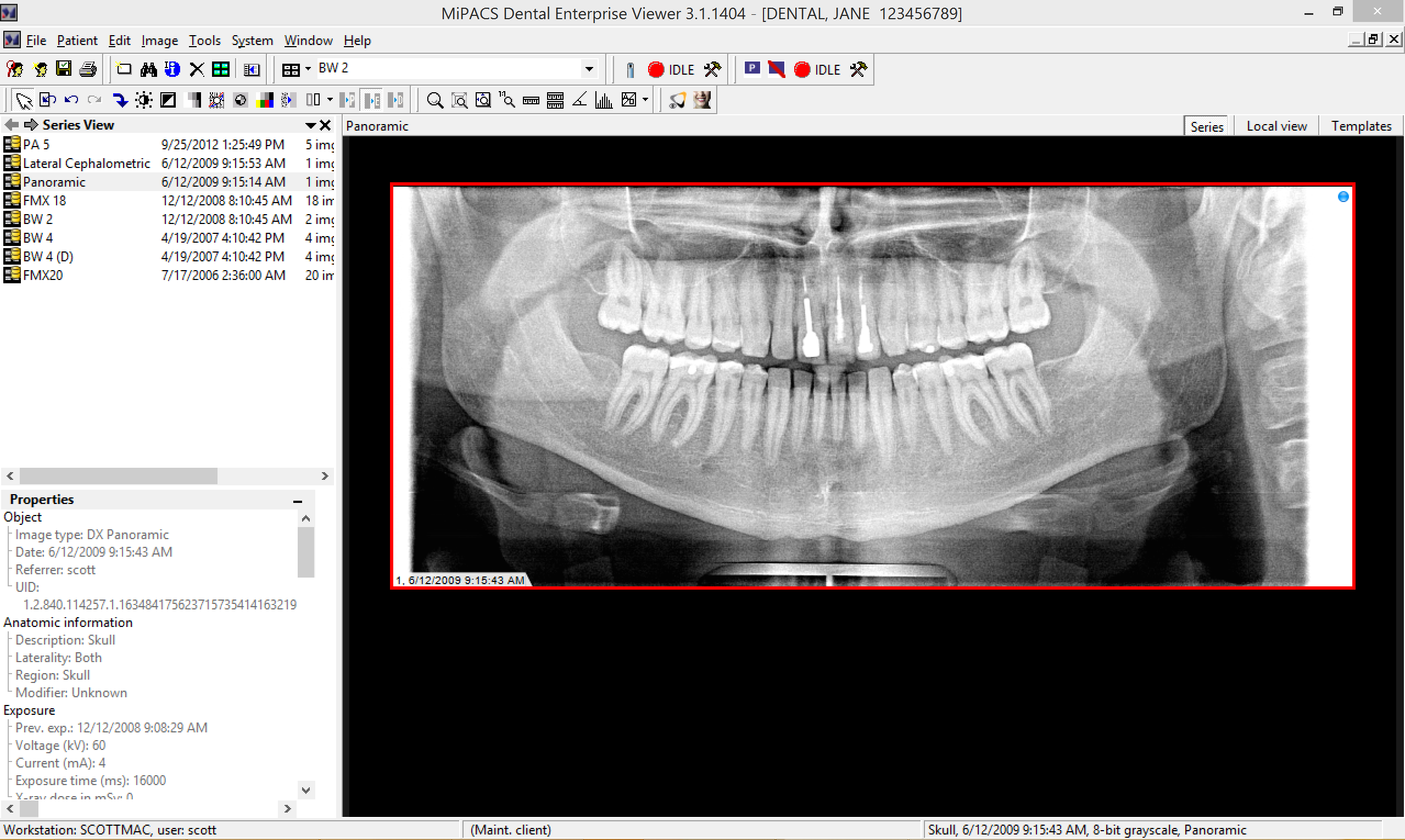
Based on the LEADTOOLS Imaging SDK, the MiPACS Dental Enterprise Viewer features all the tools you need to accurately diagnose and to improve the quality of images that are scanned, captured, or imported. Tools such as brightness, contrast, histogram adjustment, rotation, inversion, equalization, sharpening, noise reduction, and more are included.
The image analysis tools within MiPACS allow users to zoom, magnify, measure, and annotate images. Accurate angular, linear, and polygonal measurements are available, these measurements can permanently be recorded with the saved image.
Import, Export, and Burn CDs
The MiPACS Dental Enterprise Viewer has the ability to import or export virtually any common image format, including DICOM, JPEG, BMP, PNG, CMP, Kodak Photo CD, and more. Images can also be burned directly to a CD or a DVD from within MiPACS, and a simple image viewer is included so that even clinics without digital imaging capability can view the images on any Windows computer.
User Security
MiPACS features user-security controls to ensure that only the appropriate users can capture, approve, delete, edit, print, export, import, and more. The permissions can be controlled based on an individual user or by a security group assignment.
Comprehensive Image Support
The MiPACS Dental Enterprise Viewer, built upon a foundation of the LEADTOOLS Imaging SDK, supports virtually any image bit-depth and has many compression options. MiPACS supports 8-bit grayscale, 12-bit grayscale, 16-bit grayscale, monochrome 1, monochrome 2, 24-bit color, YCBR, RGB, signed, pixel by color, and pixel by plane images. MiPACS also supports JPEG Lossy, JPEG Lossless, JPEG 2000 Lossy, and JPEG 2000 Lossless compression.
Dental Hanging Protocol
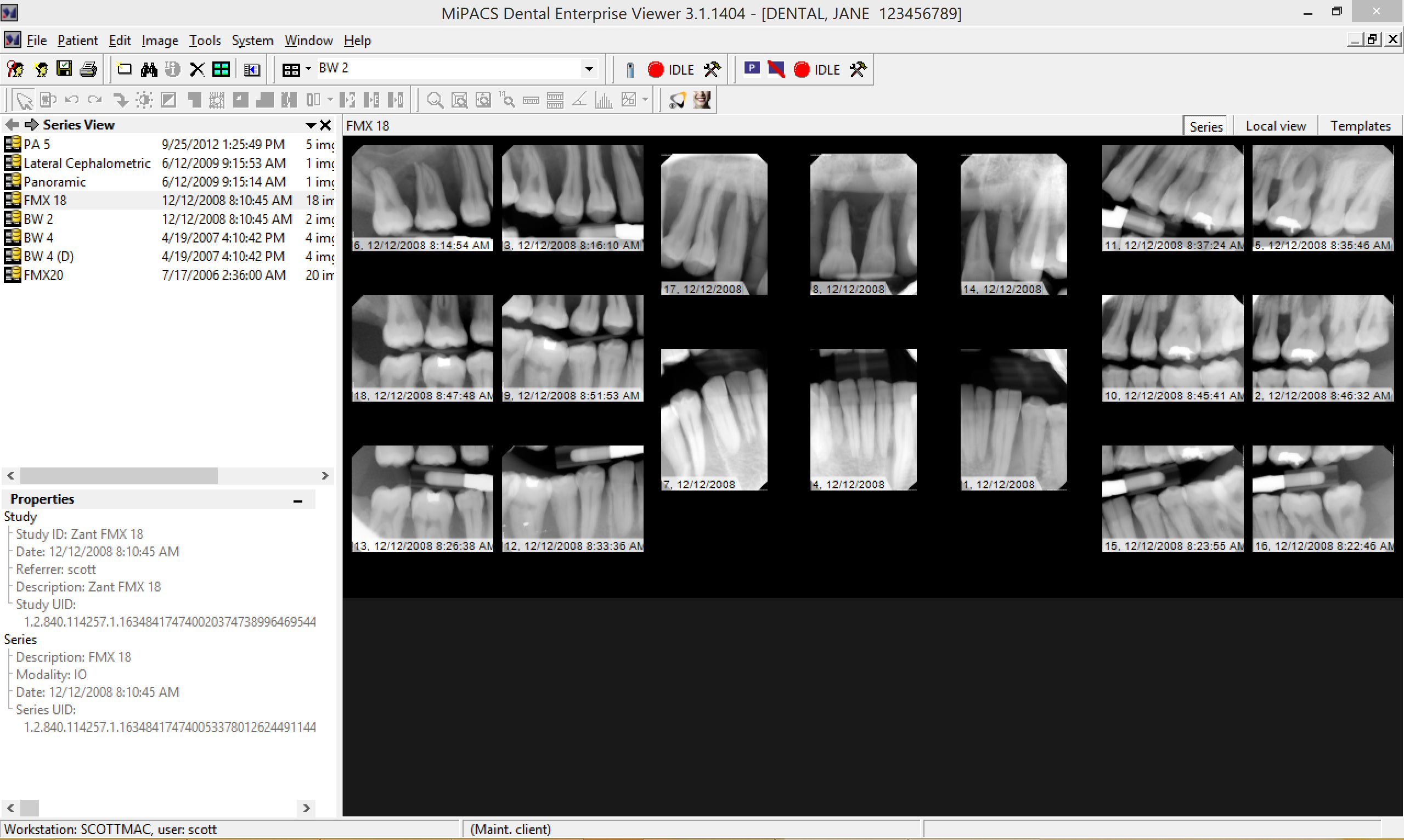
MiPACS features a dental hanging protocol that can be customized to fit any clinic's needs. If the image mounts included with MiPACS do not suffice, then different mounts can be created.
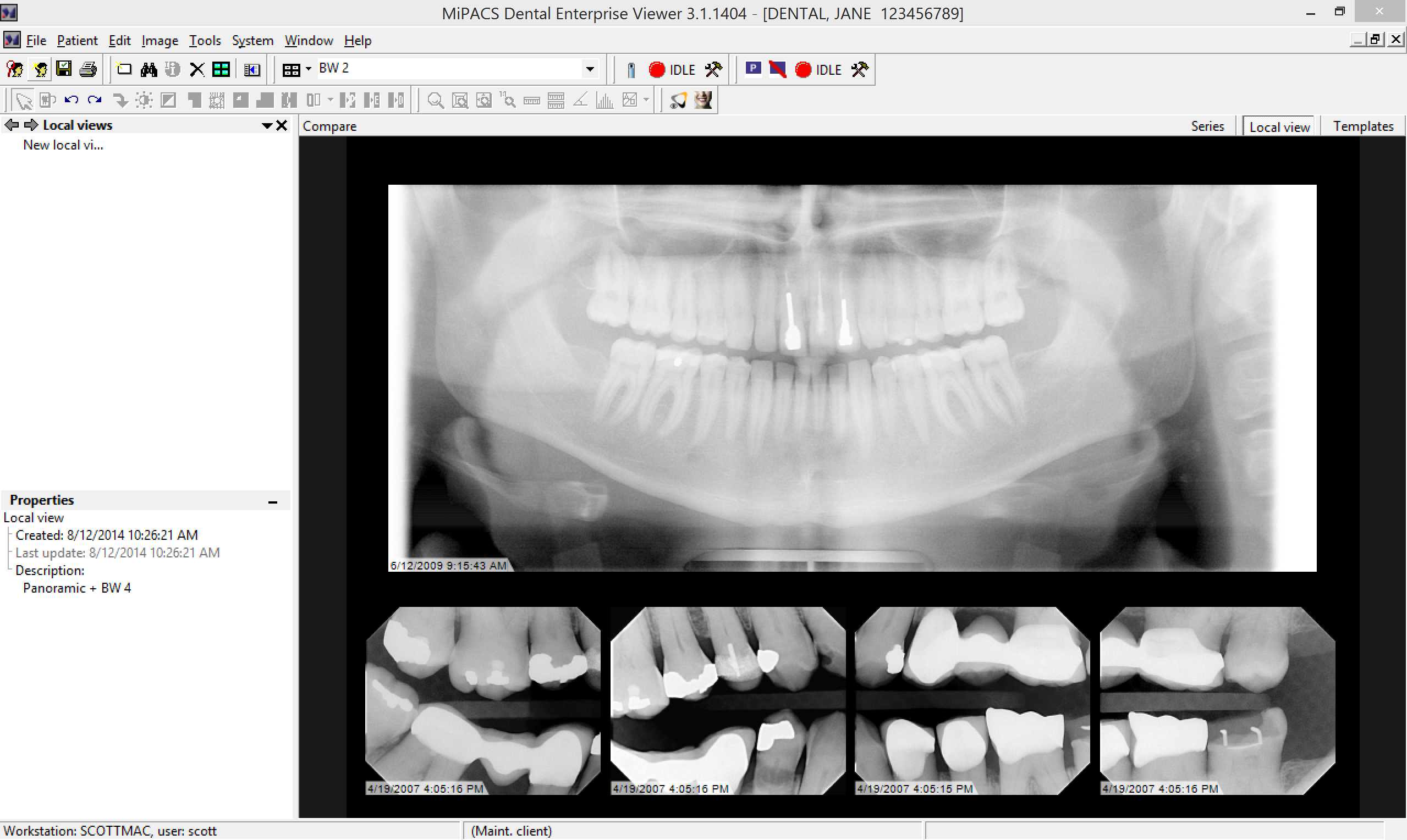
Two or more series of images can be compared in their mounts, allowing you to view images of different types together (panoramic + 4 bitewings) or view a historical comparison (4 bitewings from one year ago + 4 bitewings from today). In addition, individual images can be compared together, even if they are mounted in different templates.
Image Processing Tools
The MiPACS Dental Enterprise Viewer offers image enhancement tools to flip, rotate, sharpen, change window/level settings, and more. The advanced image processing can adjust precise histogram settings and apply effects such as colorization, embossing, and noise reduction.
Stretch Histogram
Use to stretch a small part of the histogram to the full gray scale. Areas with small differences of the gray scale can be expanded, and even the smallest change in the gray scale will be enlarged.
Optimize Brightness
Simplifies detection and diagnosis of caries by placing a selected area in the middle of the gray scale, where visual perception is optimal.
Image Orientation
If plates or sensors are exposed or scanned with the wrong orientation, they can be mirrored or rotated to the correct orientation.
Invert
Produces a negative of the image.
Equalization
Makes diagnosing easier by maximizing the contrast in a desired area of an image.
Colorization
Converts the gray scale to color on radiographs. Changes in color are more easily perceived than changes in shades of gray, so this tool can make diagnosis easier.
Brightness and Contrast
Adjust brightness and contrast on the fly with a simple click and drag on the image.
Noise Reduction
If scanned X-rays appear grainy, the noise reduction tool can make them clear again.
Image Enhancement Macros
Optimizes the image for viewing in Endo, Perio, and DEJ modes.
Edge Enhancement
Create clear, sharp edges out of blurry radiographs.
Image Enhancement Macros
One-click enhancement presets for Endo, Perio, and Dentin-To-Enamel junctions. Additional macros can be added.
Image Analysis Tools
The MiPACS Dental Enterprise Viewer offers image analysis tools to zoom, magnify, measure, and annotate images. Accurate angle, linear, and polygonal measurements are available. These measurements can be permanently recorded with the saved image.
Zoom
Zoom to a specific section or zoom to match the screen resolution for optimal clarity.
Magnify
Without zooming the entire image, magnify a certain portion of the image.
Linear Ruler
Measure distances in a straight line.
Polygonal Ruler
Take more complex non-linear measurements.
Protractor
Take measurement of angles.
Annotations
Annotate the image with notes, arrows, measurements, and shapes that will remain with the image the next time it is viewed by anyone.
Supported Devices
MiPACS Dental Enterprise Viewer seamlessly integrates with the world's most popular digital sensors, imaging plate systems, digital panoramic devices, digital cameras, scanners, and video sources. Unlike most imaging software vendors that require you to use their hardware, MiPACS is an open-platform application, leaving it up to you to decide on the type of hardware. Your staff should not be forced to learn three or four different software applications when MiPACS has simplified digital imaging workflow by using one application for every imaging device.












 WhatsApp
 LinkedIn
 Facebook
 X
X
 Email
Email