Automatic CRM Integration
Integrates with any cloud-based CRM system out of the box. Just click to dial within your CRM or any website using Chrome or Firefox. Paste call stamps & dispositions.
Personalized Voicemail Drops
Save valuable time and leave a consistent voicemail every time by clicking to leave a pre-recorded message on their machine. Personalize to receive more call backs.
No Delays or Dropped Calls
Prospects won’t be suspicious that they have been auto dialed because there is no “telemarketer delay” alerting them it’s a sales call.
Click your mouse to call any phone number you see on your PC. Make unlimited calls. It’s that simple.
A click to call dialer is a softphone that allows you to move quickly from call to call with the click of a mouse. With EVS7 click to dial, you can just click to send any of your 5 unique pre-recorded voicemail drops. This helps your team save time and not have to say the same message over and over, increasing team efficiency.
How Does Click to Call Dialer Software Work?
By clicking a phone number on your computer screen, you will instantly call a prospective lead. This allows your sales team to work directly inside your existing CRM, making for more productive calling with features to save you time.
Unlike most competitors, we provide service with truly unlimited calls to the U.S. and Canada and no hidden per minute fees or charges. Because your sales reps are in control of the call, your prospects will be more receptive because there is no “telemarketer delay” alerting them that it is a sales call.
Allows for transfers and 3 way calling
Optional coaching and monitoring tool for training
Boost sales rep productivity
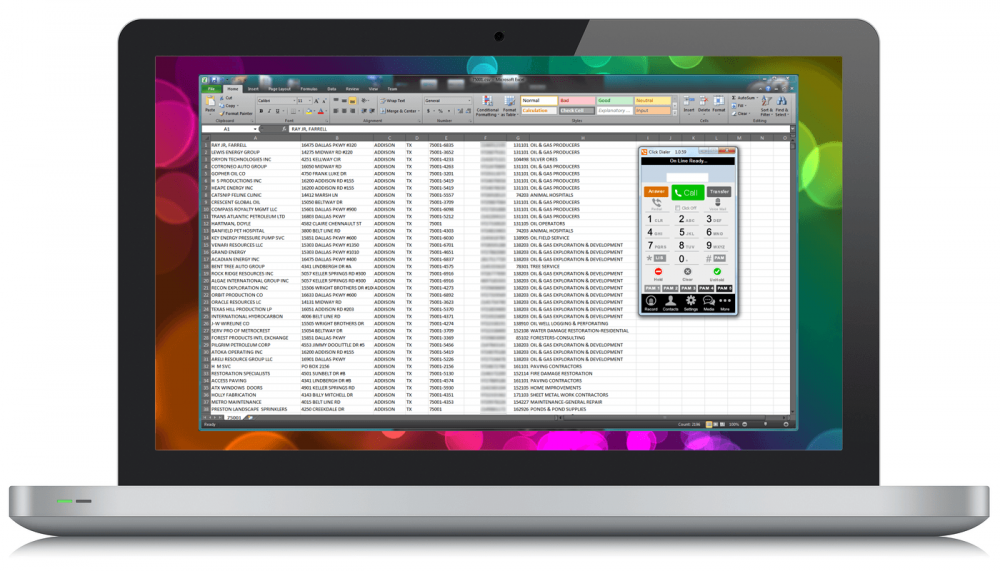
Click to Call Dialer Screenshot
Double your sales with the Click Dialer and save time and effort by click dialing any phone number on your computer or CRM.
Call recording available
Call logs and notes can be quickly pasted into CRM
Send emails and text messages directly from the Cricket softphone to your prospects













 WhatsApp
 LinkedIn
 Facebook
 X
 Email