RIG HUMANOID CHARACTERS OF ALL KINDS
Transform Free Static Characters into Animatable Ones
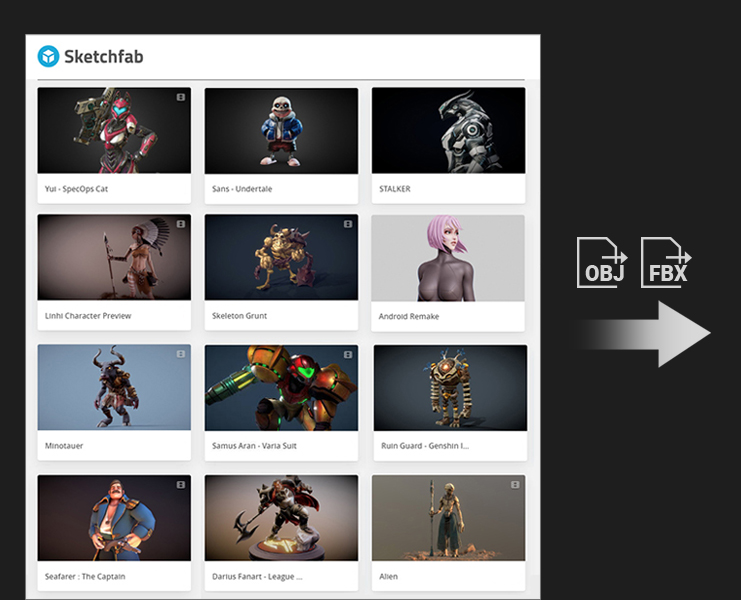
Take advantage of hundreds of freely downloadable characters found on online marketplaces such as Sketchfab, using the automatic rigging steps of AccuRIG and ready-to-use animations from ActorCore. Content developers may incorporate AccuRIG into their workflows, turning creations into rigged characters that will instantly increase their value.
Accurate Rigging with 3D Scanned People
AccuRIG is highly optimized for all kinds of A-poses, and Scan poses as it recognizes 3D scanned humans with varying palm facing directions and raised arm angles. AccuRIG automatically analysis joints and corrects axis with high accuracy - saving studios time and labor costs from repetitive and manual rigging process.
Animate Digital Sculptures
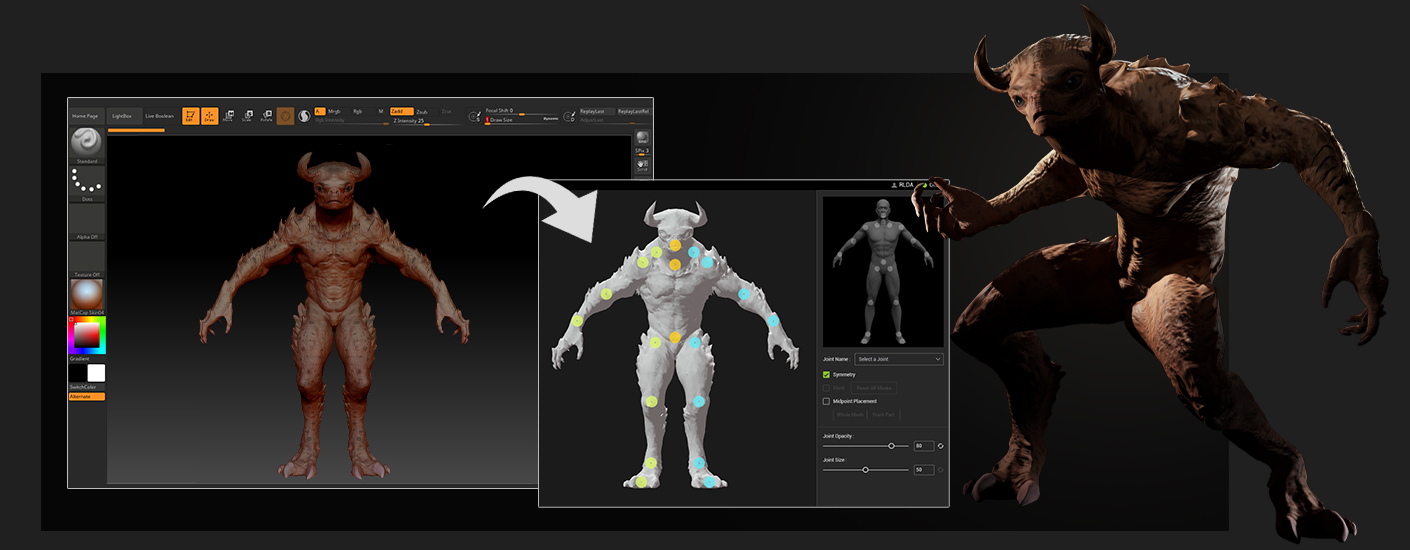
Showcase concept art and digital sculptures made with ZBrush and Blender, by converting un-rigged statues into animation-ready characters. Speed up the sculpting-to-animation process with AccuRIG’s auto rigging and manual joint refinement that will level-up character value and versatility.
ACCURATE RIGGING WITH FLEXIBLE REFINEMENT
Flexible Joint Refinement
Through manual joint definition, rigging can be customized to match models with different characteristics. The skin-weight is highly optimized for all joints, from shoulder, elbow, and knee, to detailed finger joints. The volume for head, body and accessories will all be well-preserved thanks to AccuRIG technology. Online Manual >
Raise / Drop Shoulders
The placement of joints can often alter the shoulder shape of the model. Adjust the relative positions of shoulder and clavicle joints to achieve different shoulder positions.
Retain Shoulder Shape
To accentuate the structured shoulder line for a suit, the shoulder and clavicle joints should be placed along / close to the shoulder line.
With Accessories
Solve stretched faces and accessories due to skin weight calculation. Adjust neck joints to avoid accessories and re-calculate skin weight for optimal results.
Protruding Head
To avoid face distortion for creatures with a protruding head, or with the face lower than the neck, the neck joints should be parallel to the jaw line.
Pose Offset
Pose Offset helps correct posture problems such as arm penetration or leg distance when applying animation data to characters with different body scales. It can also generate stylized performances for cartoonish figures. Upload the offset results to ActorCore and download the customized animations retargeted to your rigged characters. Online Manual >
THOUSANDS OF ANIMATIONS RETARGETED TO YOUR CHARACTERS
Directly upload rigged characters to ActorCore from AccuRIG. Explore and try over 1,700 well-themed mocap animations in the real-time interactive viewport. Download and retarget animations for your rigged characters from ActorCore for use with all major 3D tools, empowering game, film, archviz, digital twins, interactive projects and more.
EXPORT TO ANIMATION-READY FORMATS
The models rigged with AccuRIG can be exported to animation-ready formats including; FBX, USD and iAvatar. These formats are compatible with Unreal Engine, Unity, Blender, iClone, Omniverse, Maya, 3ds Max, MotionBuilder, Cinema 4D, and any other 3D tools.















 WhatsApp
 LinkedIn
 Facebook
 X
X
 Email
Email