Timekeeping Software
The Timesheet Software tracks the time spent on a project, the budget for a project and resource allocation. With this software, you will be able to measure the project and employee performance, and you will also get an exact idea of how much work is done, whether the project is going on within the budget or not. If you find that an employee is spending too much time on a particular task, a call can be taken whether he/she needs some training or support or the task is to be allocated to some other person.
Timesheet Reports
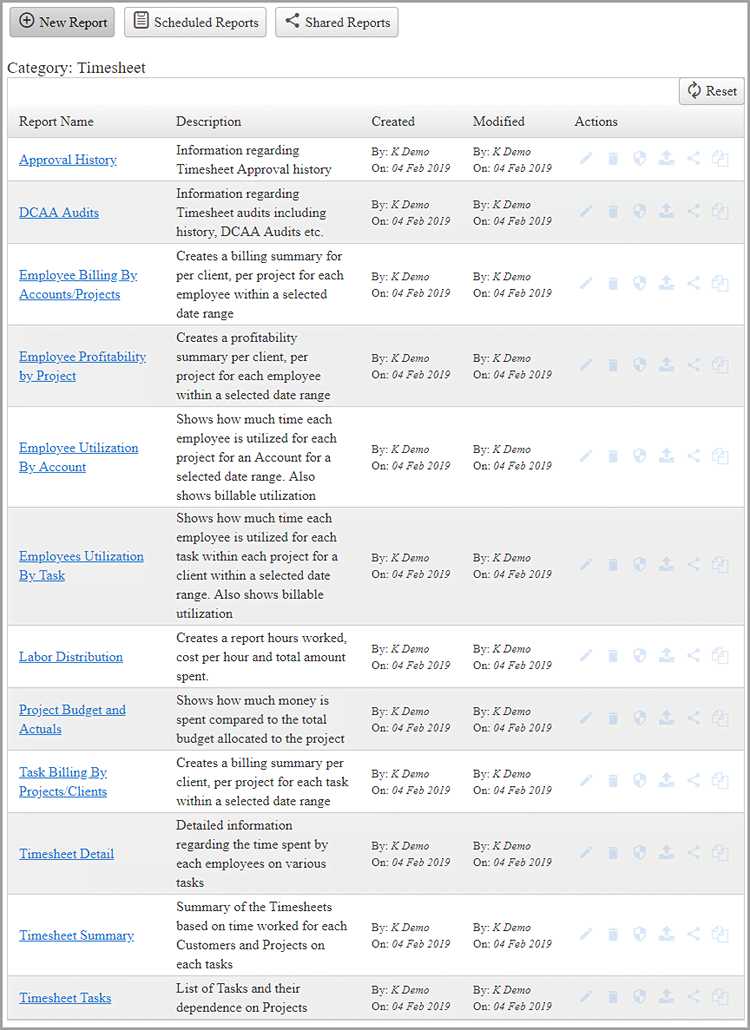
Timesheet Reporting provides the necessary information to make important business decisions. It helps to give an overview and helps to analyze the overall employee performance, project budget, employee utilization, timesheet details, timesheet tasks, DCAA audits, the cost incurred and hours spent on a project, etc.
Reporting system in OfficeClip will help the users to identify the areas of strength and weakness while working on a project and will help to take corrective action accordingly.
QuickBooks & Sage 50 Integration
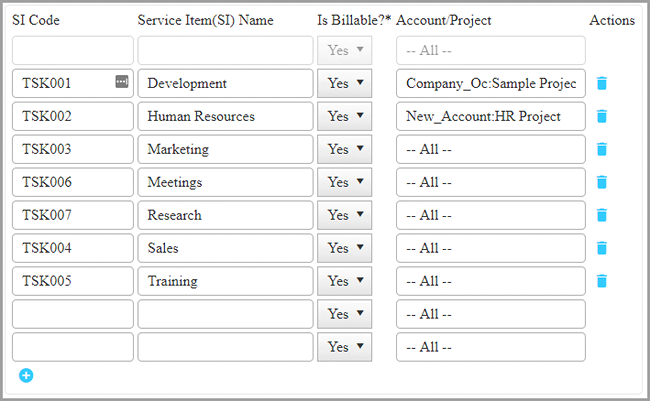
OfficeClip Timesheet software can integrate with Intuit QuickBooks and Sage 50 Accounting software using an installable add-in. This integration allows timesheet import and expense import of customers, projects, service items, expense types, etc. It can send the approved timesheets to this software. Also, CSV import and export is also supported.
DCAA Compliance for Timesheet
All employees of Government Contractors must comply with the DCAA (Defense Contract Audit Agency) regulations and Federal Accounting Regulations (FAR). Failure to comply with such rules may result in penalties and lose government contracts.
Rules for Edits
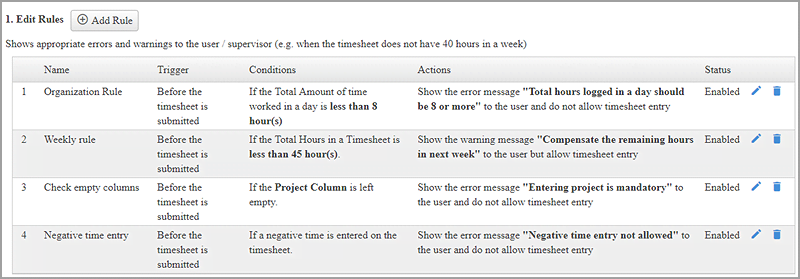
Tracking time for a business is an essential factor. But management has to ensure that the time tracking runs smoothly as per the guidelines set by the organization. Sometimes people forget to track their time; timesheets are not submitted on time or time entered is less than the required value. Inadvertent or deliberate errors can become more costly as these progress through the workflow. For example, employees are required to work at least 8 hours per day in an organization. The timesheet software needs to catch this error before timesheet is submitted.
The OfficeClip Timekeeping program provides rules in timesheet to check various conditions. These rules flag an error or warning to the timesheet submitter. If a warning is flagged, the submitter is warned, and the timesheet is allowed to submit. The same warning is flagged to the authorized individual who approves the timesheet. If an error is flagged, the timesheet is not allowed to be submitted.
In/Out Timesheet
OfficeClip Timesheet works in two modes: Standard and Check In/Out. In the standard mode, employees record the time duration against each project / tasks. In Check In/Out mode, employees punch in the time they enter and exit their job.
Paid Time Off Management
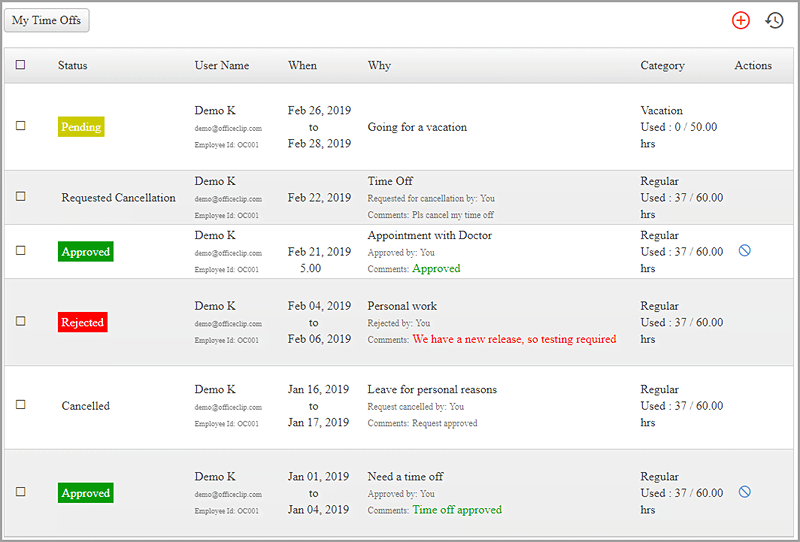
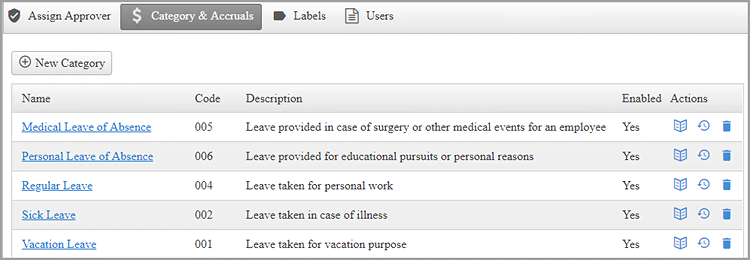
A Paid Time Off (PTO) is a bank of hours in which the employee pools sick days and vacation days. It may cover leaves for all kind of purpose like sick leave, vacation leave, leaves for a personal reason, medical leave, etc.
A PTO can differ from person to person in an organization. It depends on the number of years spent by an employee in an organization, his/her experience or position. A Senior employee may get more PTO's as compared to a newly joined recruit.
Accruals and Paid Time Off
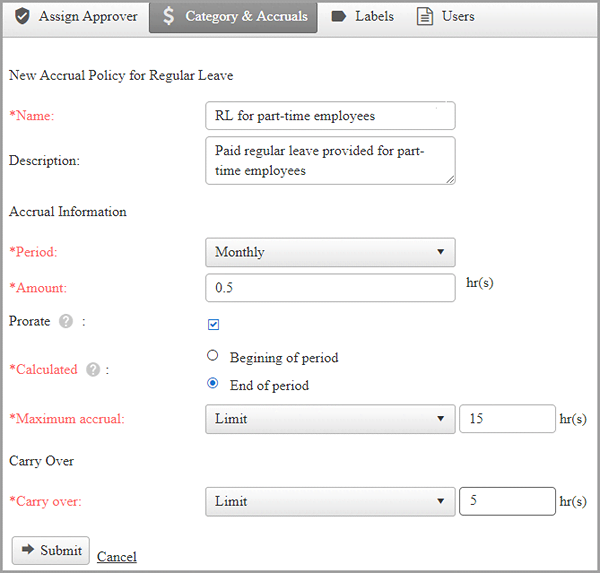
Accruals is the amount of vacation time that an employee has earned as per a company's employee benefits policy, but which has not yet been used or paid.
Accruals may vary from person to person in an organization. Accrual policy for a senior person may be different than a policy for a fresher or the policy may be different for a full-time employee than a part-time employee.
Timesheet and Expense Approval
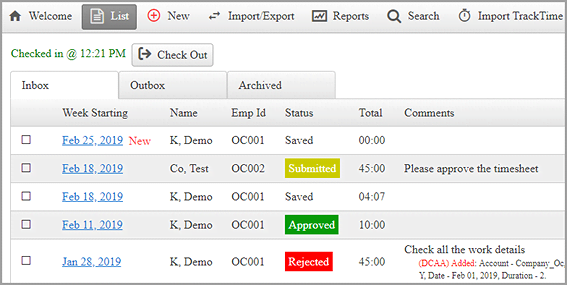
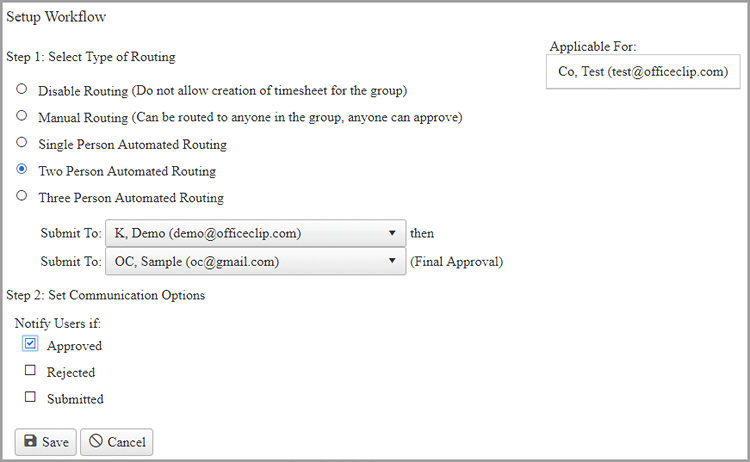
In most of the organizations, getting timesheets approved through authorized people is essential. The Timesheet approval process makes sure that the employee timesheet is validated and approved by an authorized project manager, supervisor or other designated person. This practice ensures that the employee works as per the company policy and reports the work done correctly for proper invoicing and billing.
Mobile Access
Mobile technology has changed the way people connect and is reshaping and providing fresh opportunities to help boost productivity and improve employee satisfaction.
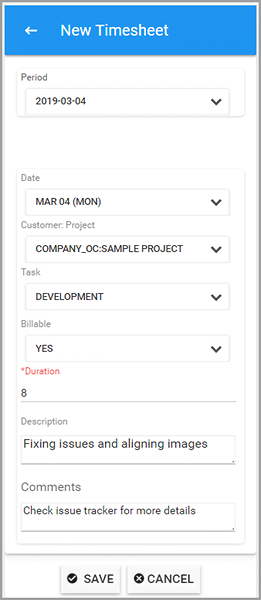
OfficeClip Mobile Timesheet App is an efficient time tracker where users can create a timesheet, and submit it to the supervisor for approval. OfficeClip Mobile App also keeps track of your expenses for a project.
Creating Invoices
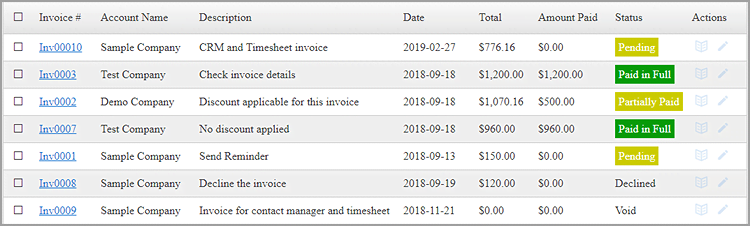
An Invoice is a bill issued by a seller to a customer, which identifies both the parties, specifies the quantities and cost of product and services, taxes, discounts that have been provided by the seller. It is a written agreement between the buyer and seller which mentions the payment terms and specifies the period when the payment is to be made by the buyer.
Expense Management
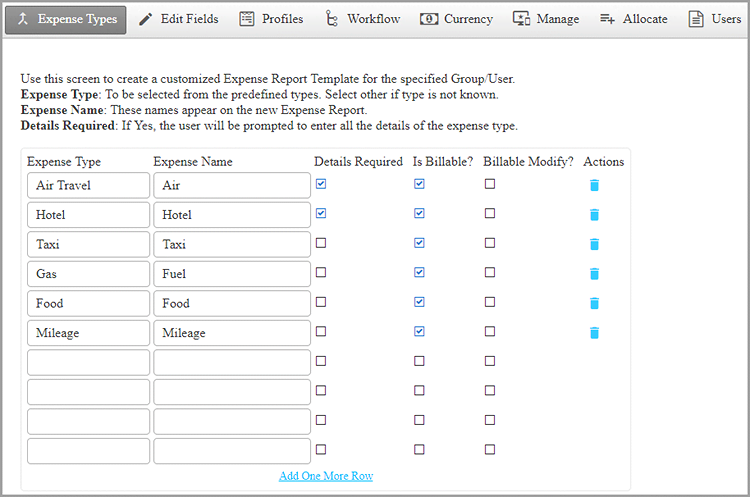
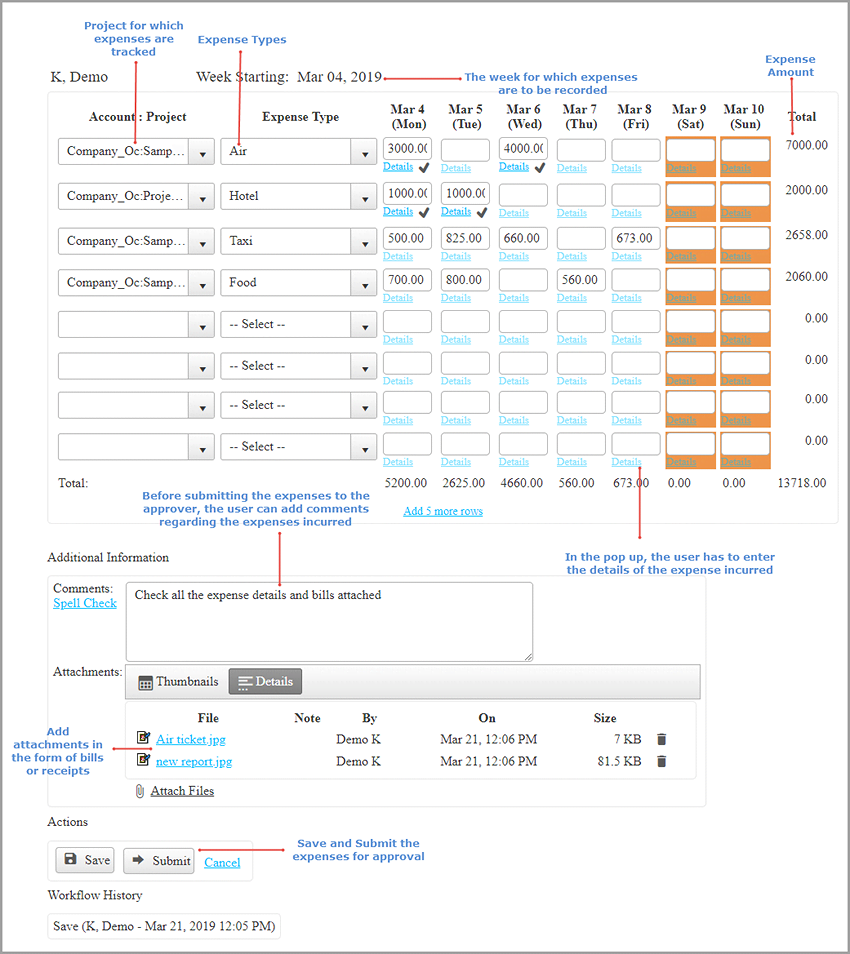
Expense management is used in business to process, pay and audit the money spent on a project. The costs may include travel cost, hotel expenses, taxi fare, fuel expenses, etc. Expense management software manages these spendings and keeps track of all the expenses incurred for a project and also reimburses the expenses borne by the employee.
Managing expenses can be a difficult task if the processing of expenses is for multiple employees. OfficeClip Expense software will help to streamline all the business expenses and will also give an idea about the cost incurred for a project.














 WhatsApp
 LinkedIn
 Facebook
 X
X
 Email
Email