FREE ONLINE INVOICE CREATOR FOR SMALL BUSINESS IN 2021
Explore the awesome features of this free online invoice creator, that will catapult your business to the next level
Quick select customers
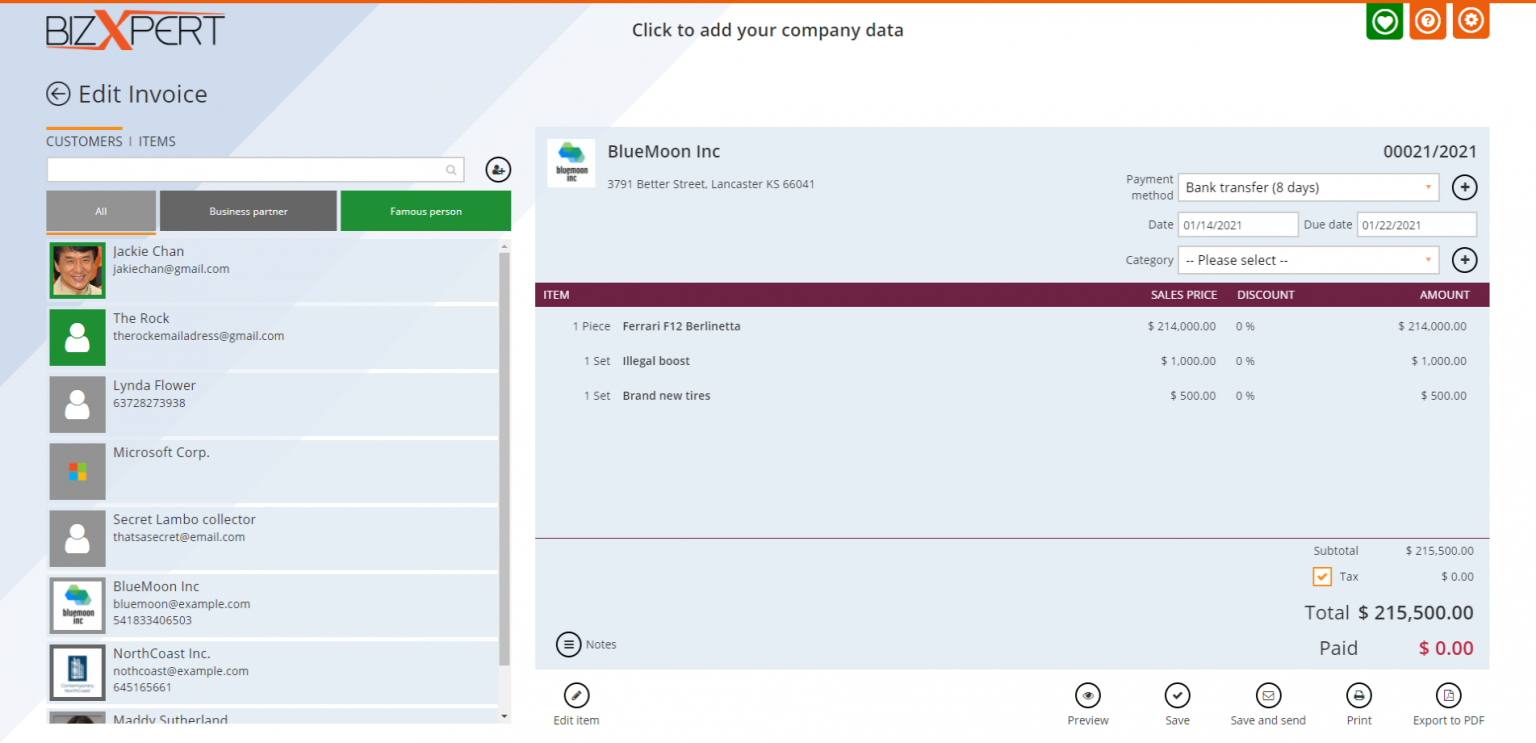
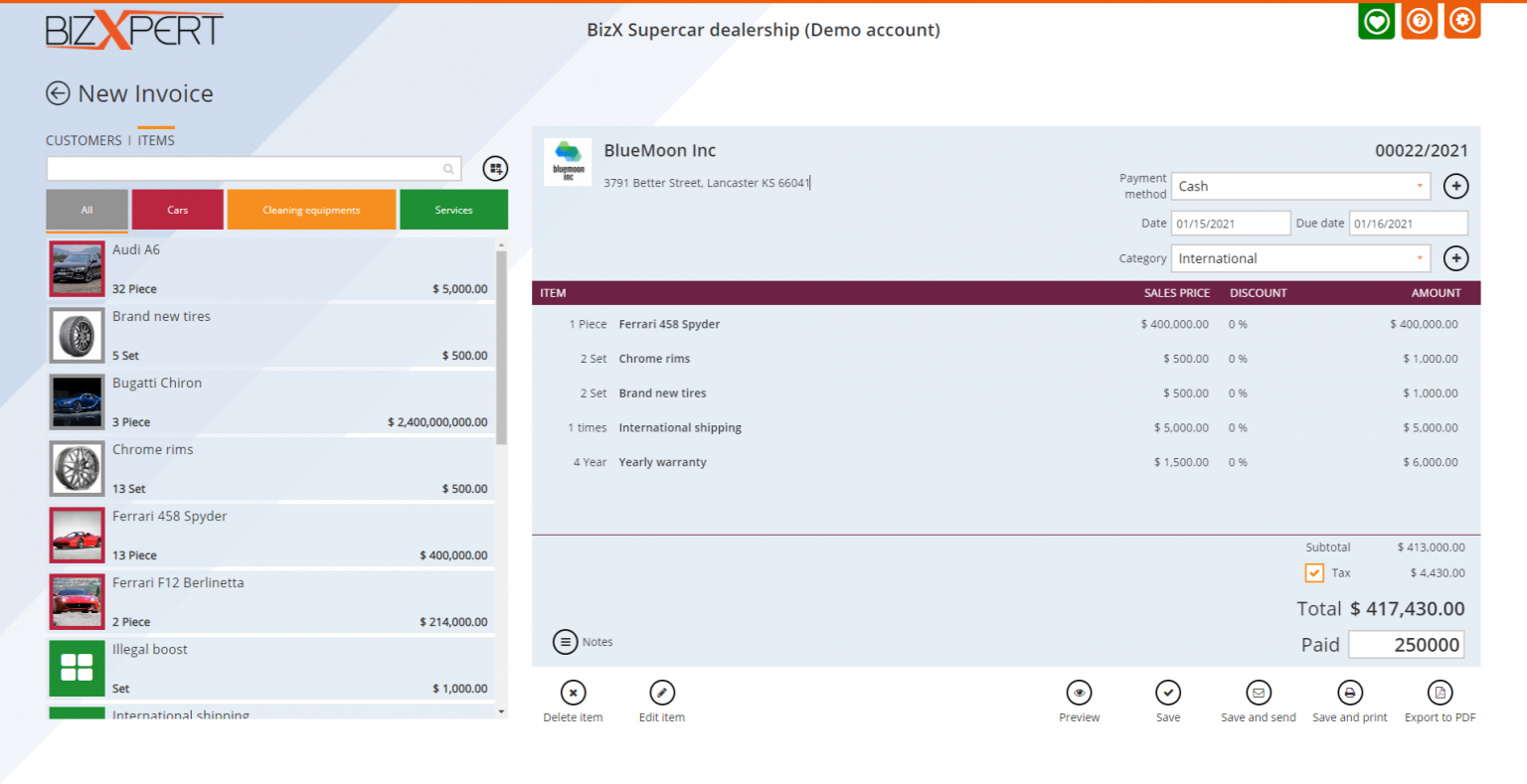
Just click on the customer card, and all of the customer data will be added to the invoice. The Payment method will be automatically set to the right customer, so you don't have to select that every time. The Due date will be automatically set according to the Payment method. Discount automatically calculated if you set it to your customer before. After you select a customer, the items will appear instantly, so you can create invoices quicker than ever.
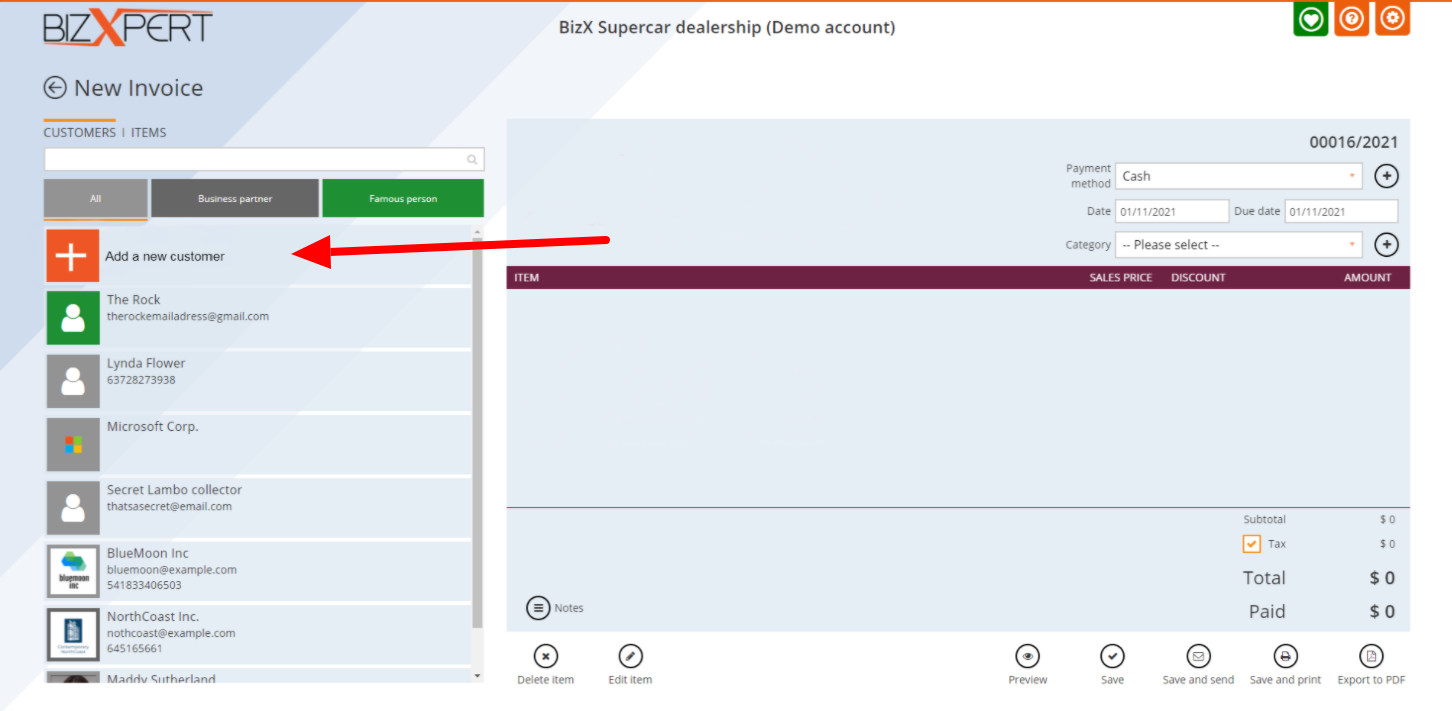
Quick create customers and items
Just click on the "Add a new customer" or the "Add a new item" card, and the customer/item creation popup will be appear. Hit Save when you ready, and your customer or item will be added to the invoice, and saved for your database. You can create an unlimited amount of customers and item for FREE
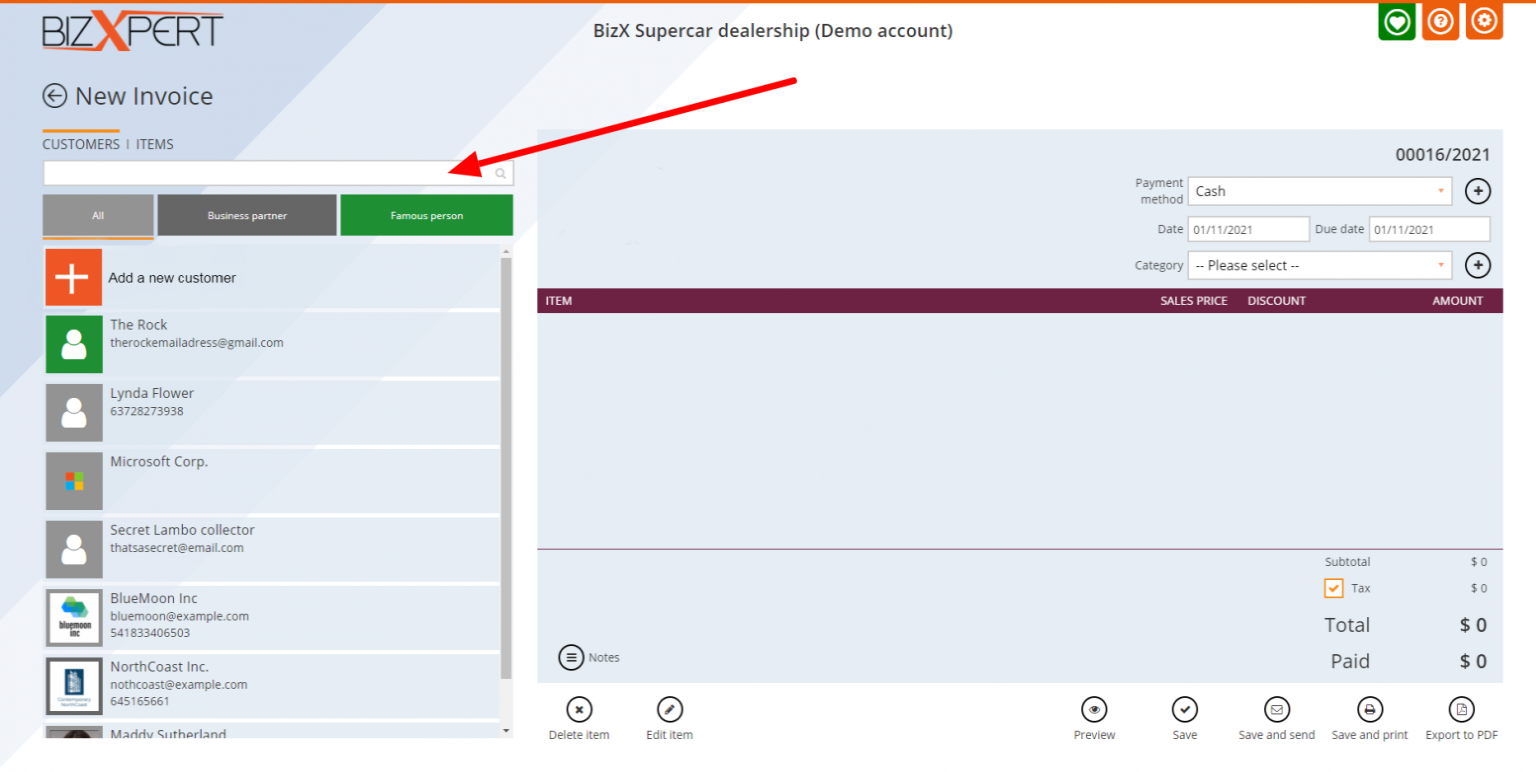
Quick search customers and items
You have hundreds of customers and items and want to find them quickly? Just start typing the name, and you will find them
Customer and item categories
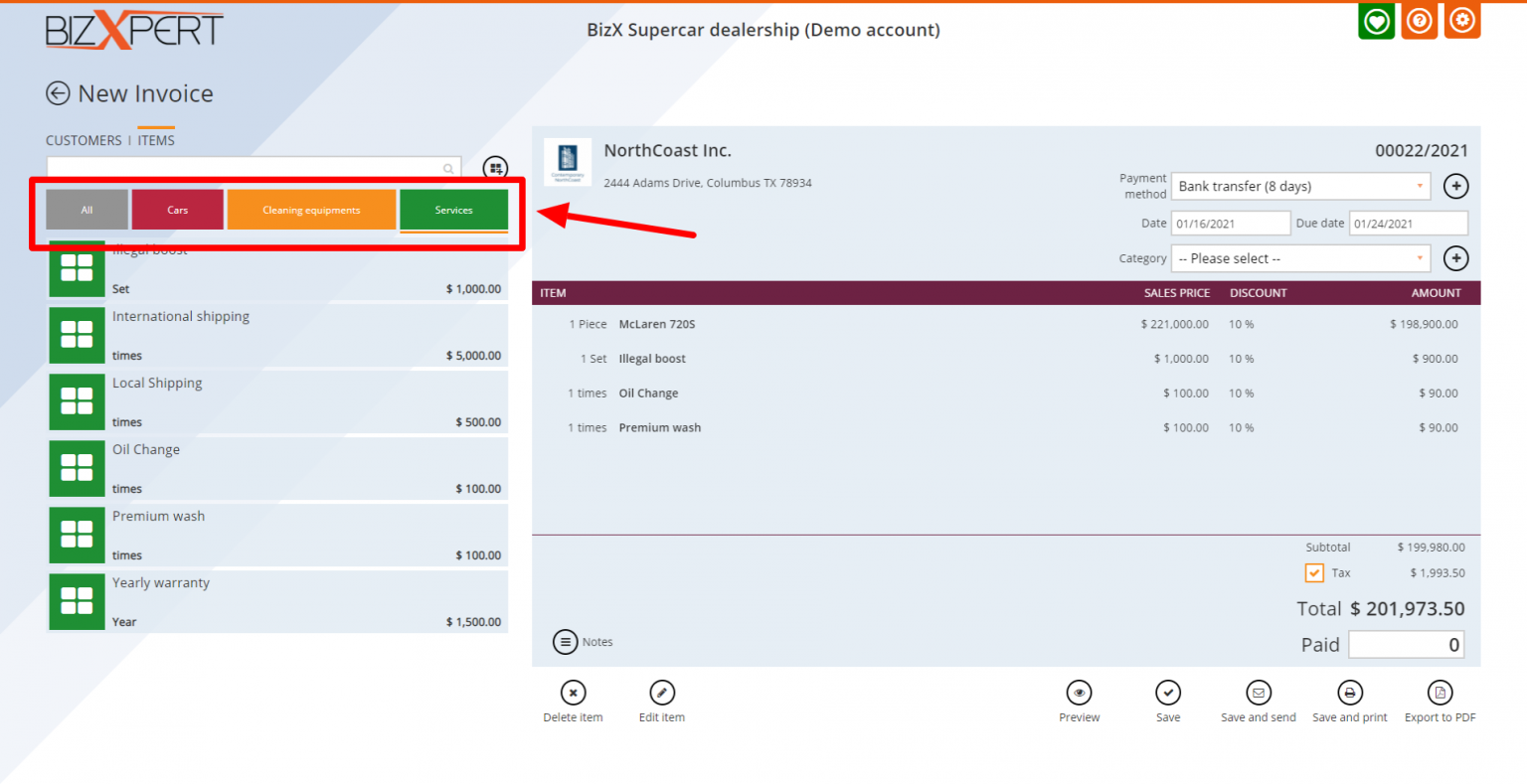
Be more organized, and create up to an unlimited amount of customer and item categories. Just select the right category, and your customers and item will be filtered when you create an invoice, so you can find everything quicker. Create up to an unlimited amount of categies for FREE
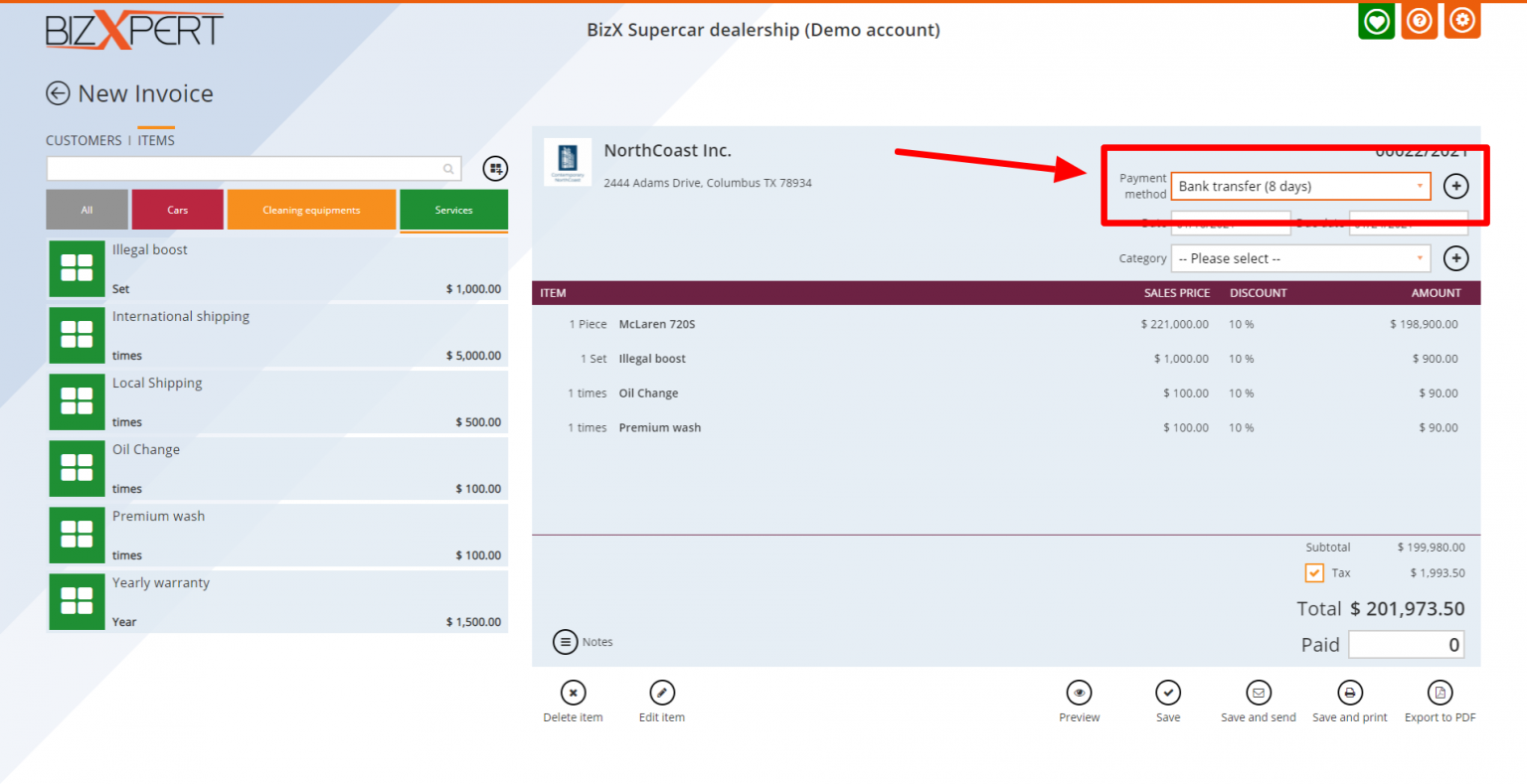
Payment methods
Create Payment methods to shop your customers, how you want to collect your money. Set auto-paid on or off to a payment method, to set the invoice paid amout automatically. Set Due-date for each payment method, so you don't have to set it on every invoice again and again. Create up to an unlimited amount of Payment methods for FREE
Date and Due date
Set the invoice creation date to any date. The Due date will be automatically set by the Payment method, but you are able set it manually. If the invoice will not be paid before the Due date, the color of the invoice card will be red, and you can see the unpaid invoices in a separate list to quickly find who owns you
Invoice categories
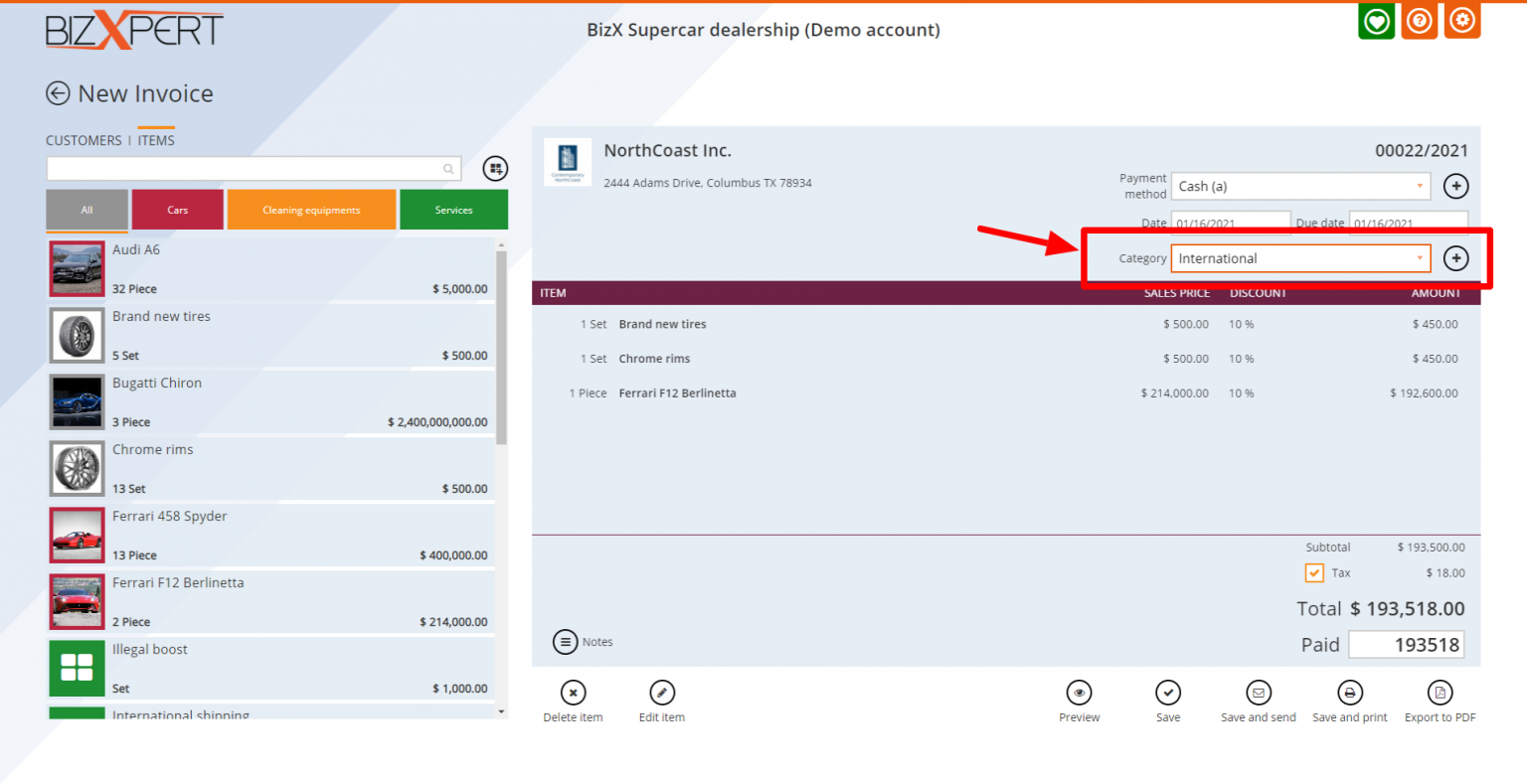
Be more organized, and list your invoices into categories. Want to follow a project invoices and expenses? With invoice categories this will be easy. Create up to an unlimited amount of invoice categories for FREE
Edit items directly from the invoice
Wan to add some final touch to your item? Just cllick on it and you are able to edit it only for that specific invoice. You can quickly change the Name, Quantity, Sales Price, Discount, Tax and the Notes. Increase the quantity just by clicking the item, or rewrite it in the edit popup
Discount settings
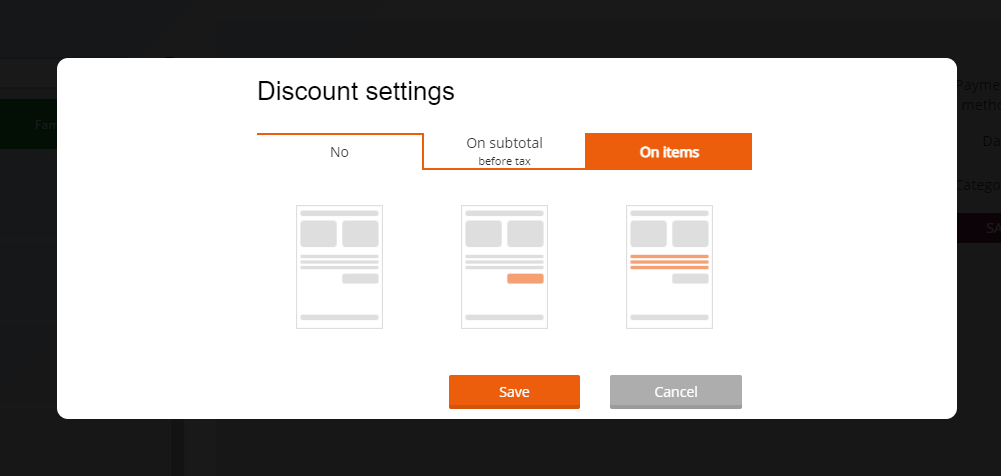
Add discounts for the whole invoice, or just for the discounted items, the choice is yours. Flat amount or percentage? You can do both!. You can set Custom discount to your favourite partners, so the discount will be automatically added to the invoices
Massive Tax features
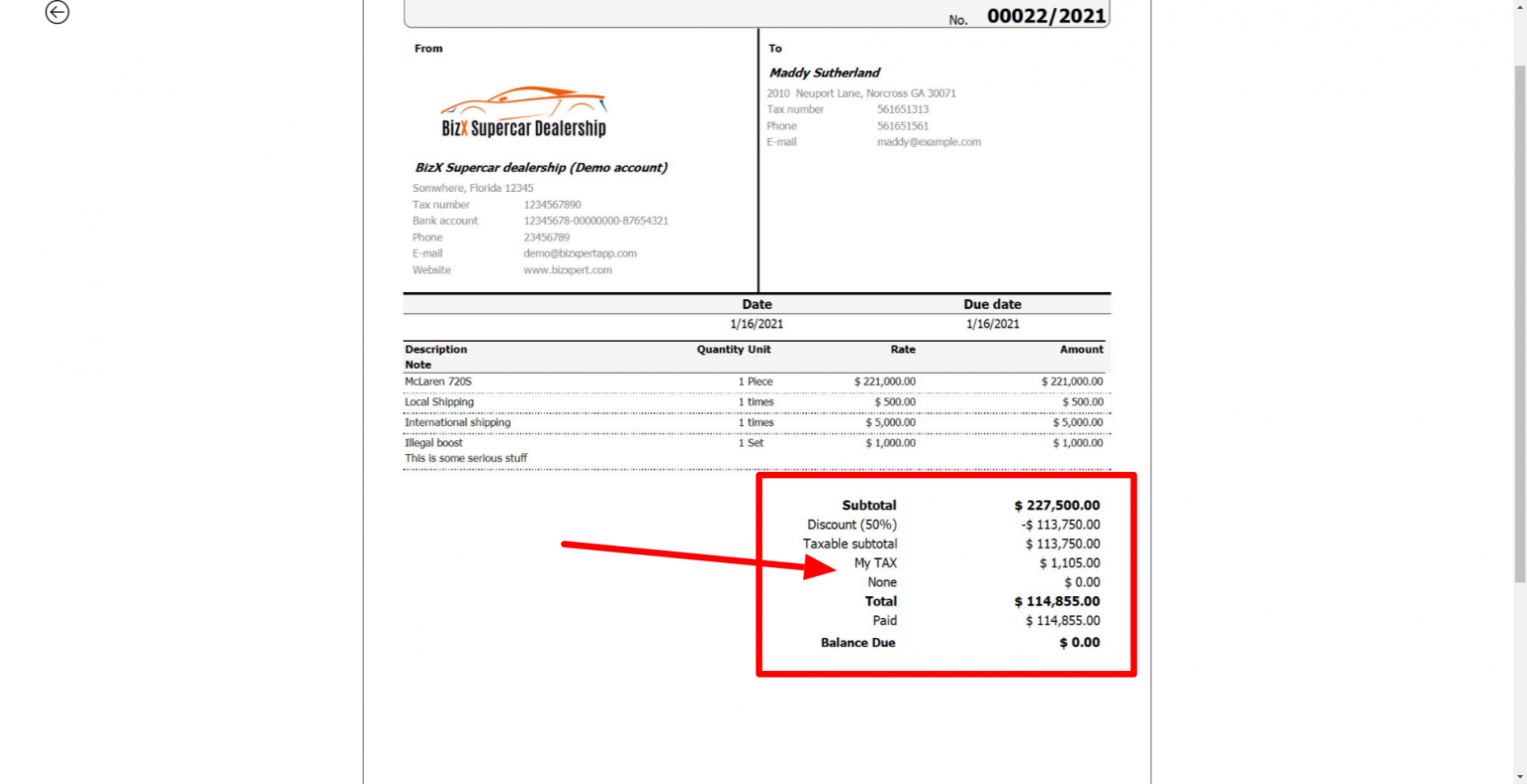
Create up to an unlimited amount of Tax, and Tax groups. Multiple Tax type in one invoice? No problem, you can set a different Tax type to every item if you want!. Don't collect Tax? Just uncechk the Tax button before create the invoice, and the Tax fields will be gone. You will see the amount for each type of Tax and the Taxable subtotal. Separate dashboard only to show you the amount of Tax you issued on the invoices
Quick add paid amount
Don't get the full amount? Just type the amount you got in hand and add the rest later. A payment will be automatically created for the Paid amount after the invoice saved
Invoice notes
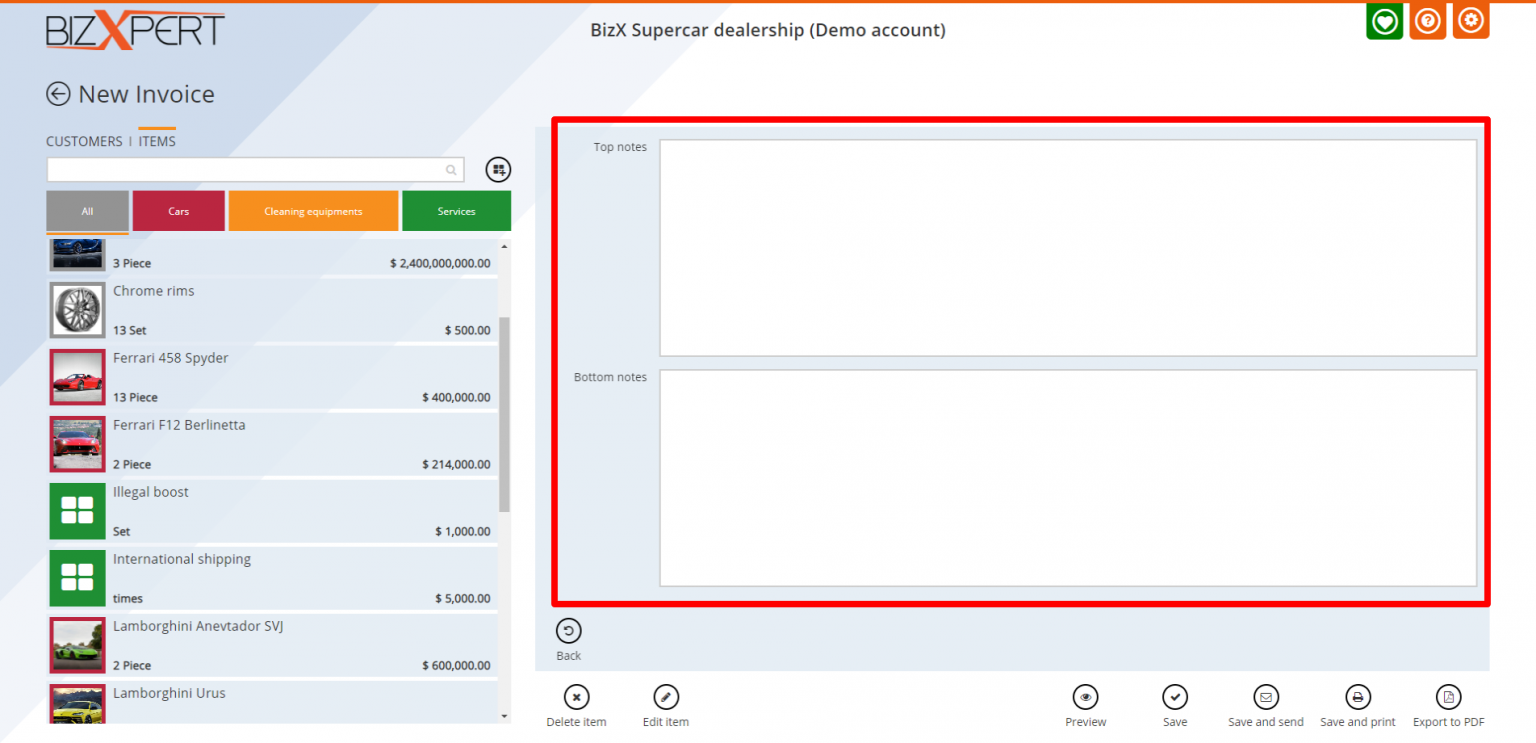
Add top and bottom notes to you invoice. You can add notes temporary and/or permanently. Set your Terms and Conditions to your bottom notes, and that will be automatically appear on every invoice
Preview invoice
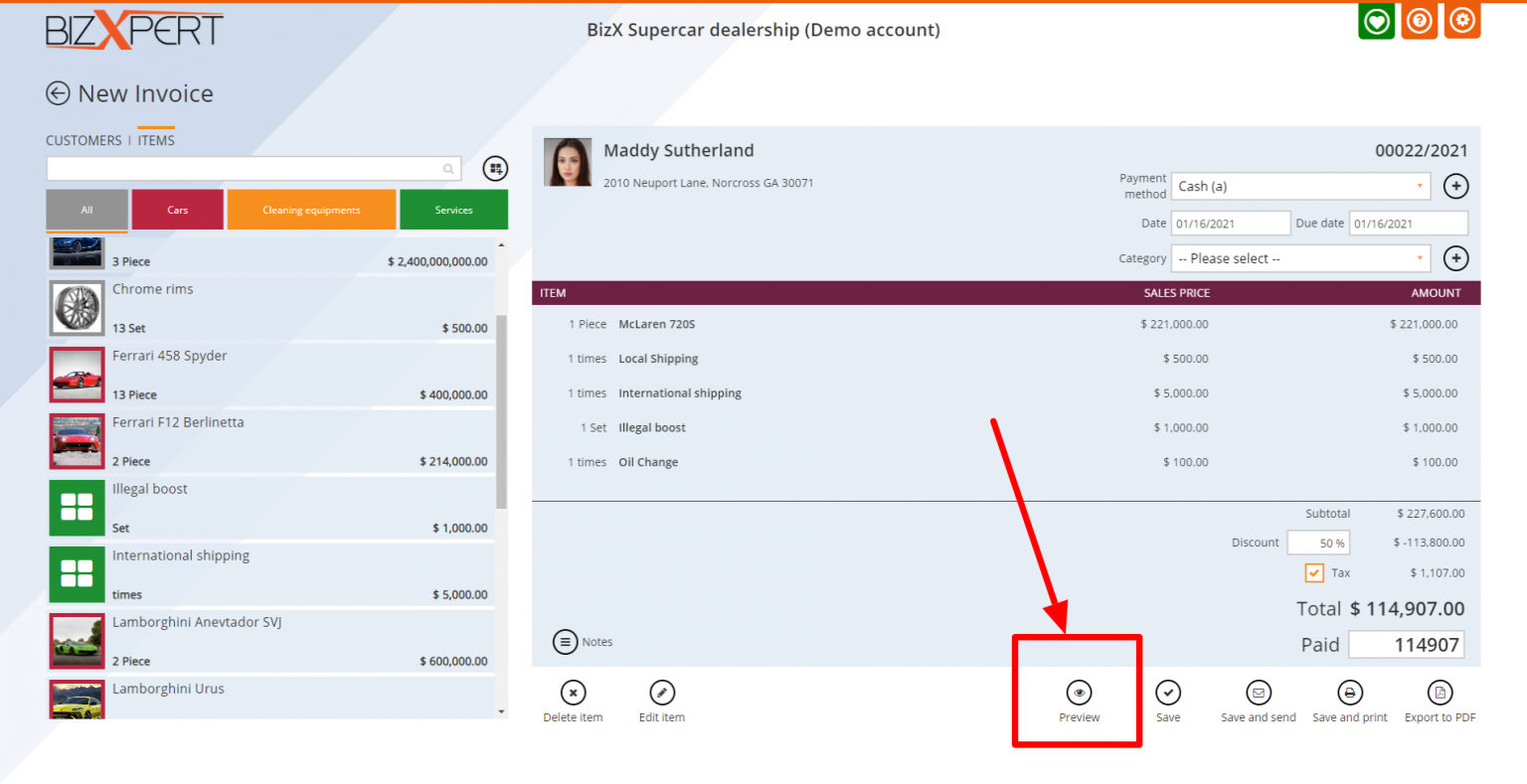
Check how your invoice will look before you send. If you find everything alright, you can quickly save, send or print to your customer
Save invoices
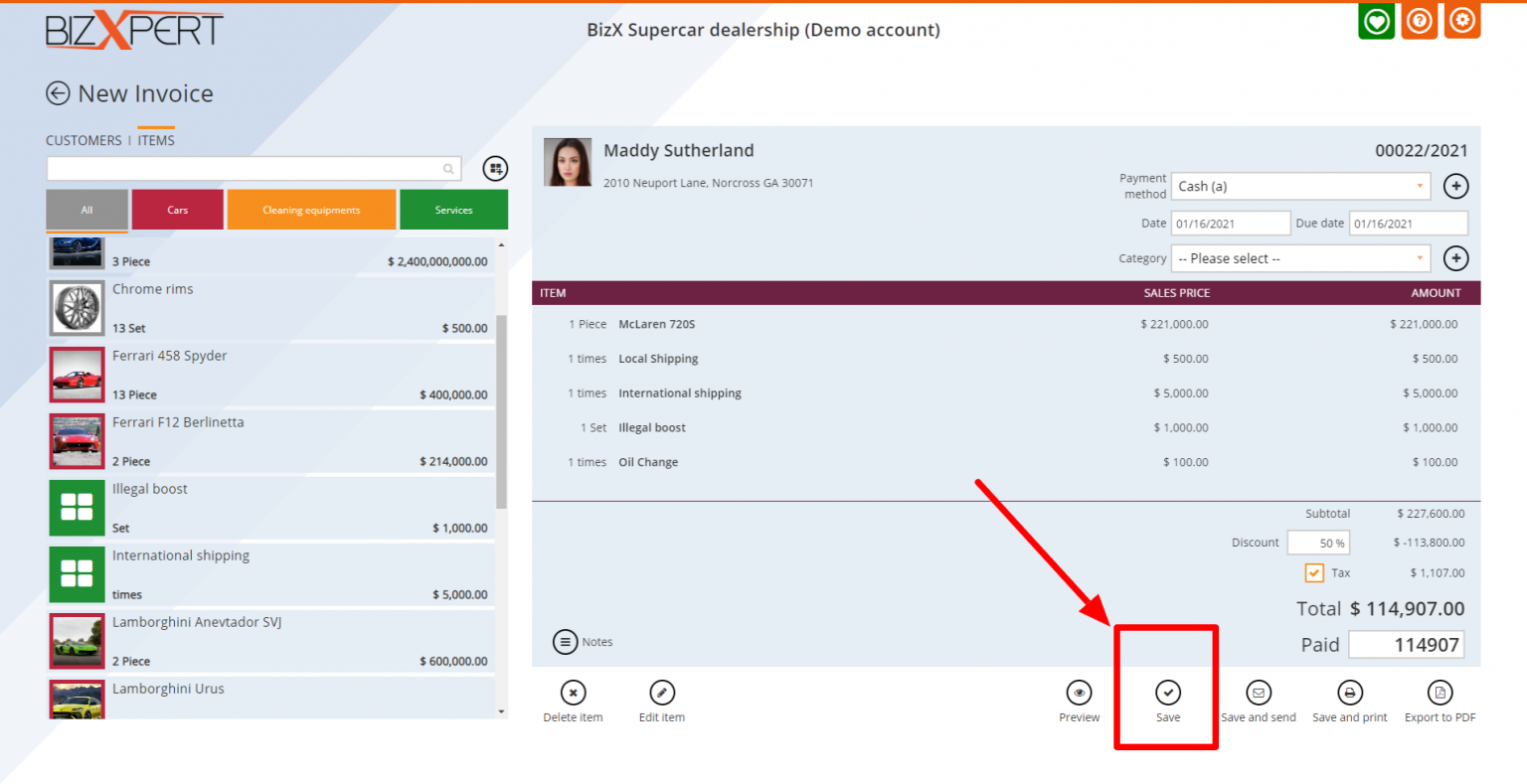
Want to create an invoice, but don't want to send it right now? No problem, save it for later. Urgent task while creating an invoice? Just hit save and finish it later, you don't have to lose all of the invoice data
Send invoice with email
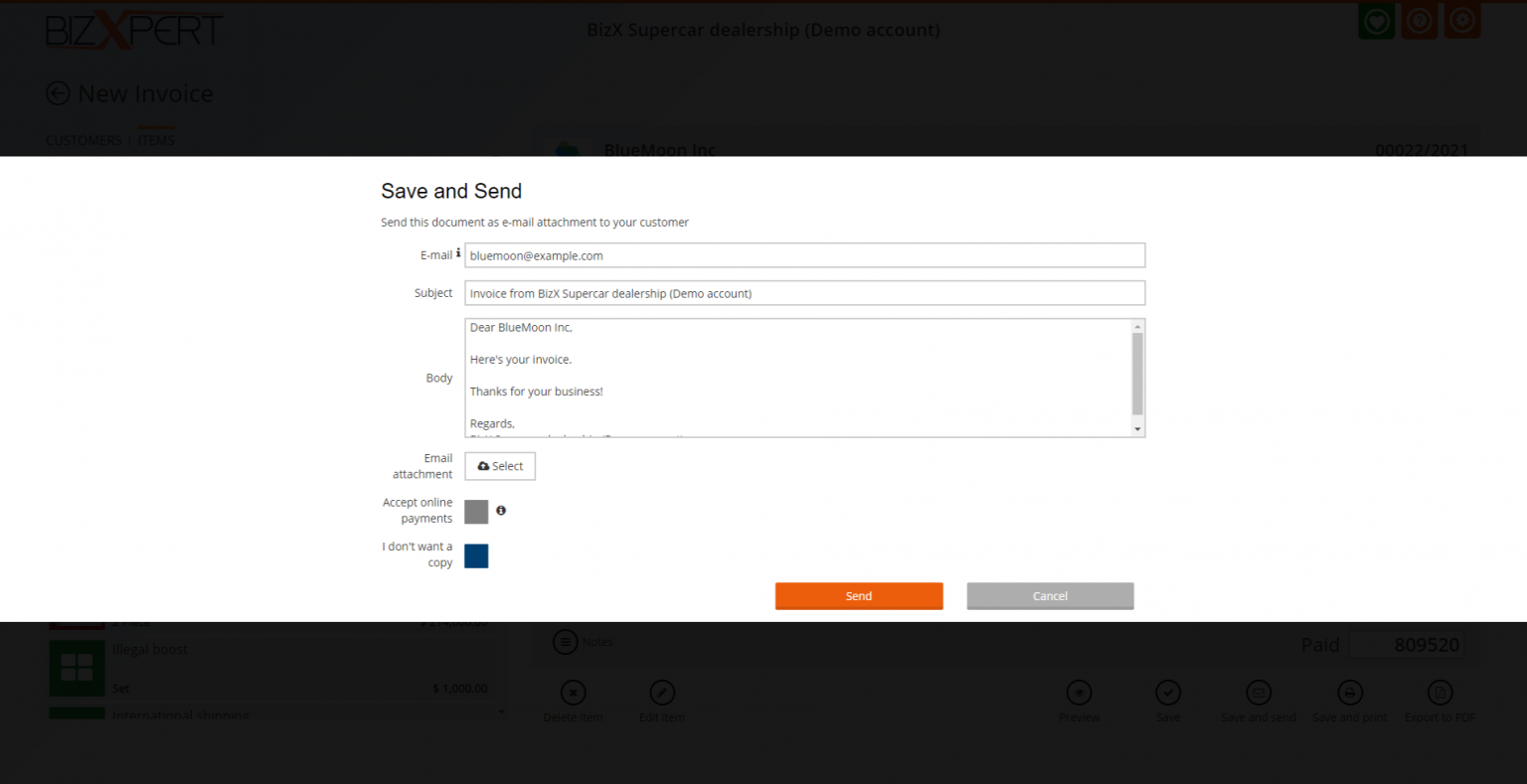
Send invoices via email to your customers with one click. Add a friendly Subject to your email, and set your custom email body permanently. Attach PDF file to your invoices, so you can send everything with one email. Collect your money, by accepring online payments via PayPal. Want a copy of your email for yourself? You can get it automatically, or check the 'I don't want a copy" button
Print Invoice
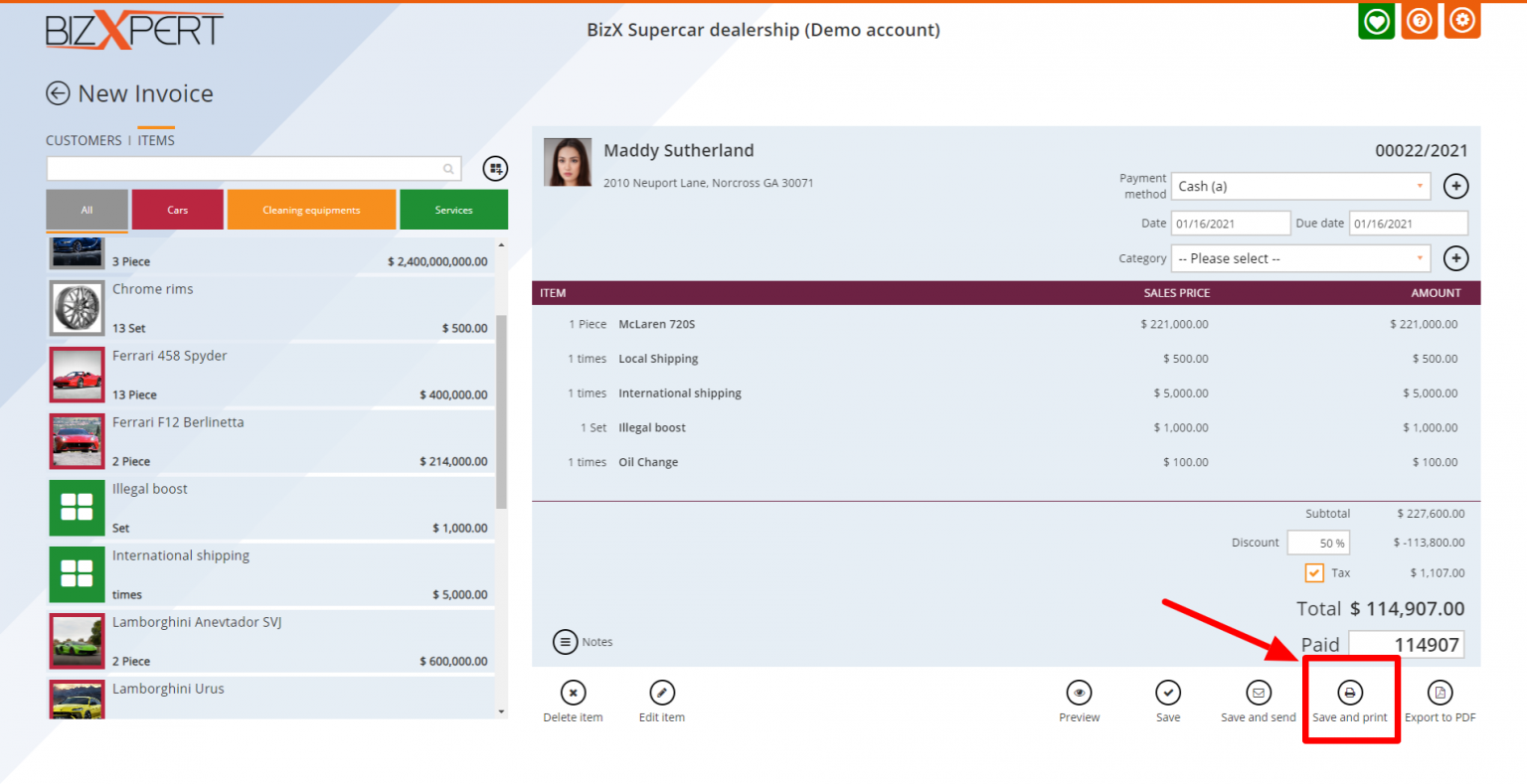
Print invoices right in front of your customers, or anywhere. You don't have to save your invoices when you print them. If you click print, your invoice will be automatically saved. You can print any exicting invoice later, or batch print the selected invoices
Export Invoice to PDF
Export invoices to PDF and print or send them to your customers. Save your invoices to your computer and save it if you want
Invoice Number format
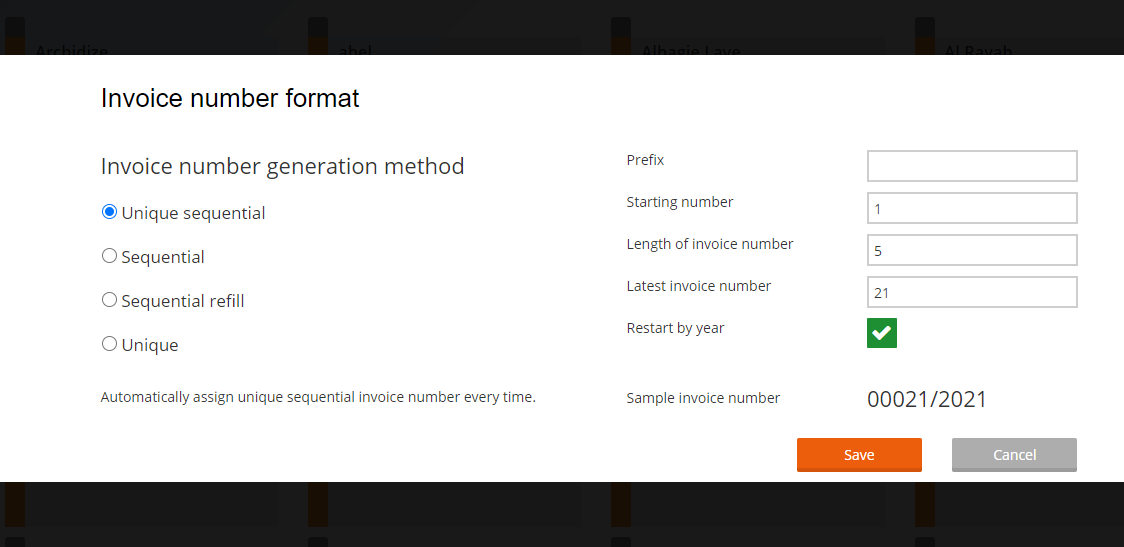
4 types of Invoice number format for the maxiumom personalization. Unique sequential - Automatically assign unique sequential invoice number every time. Sequential - Assign sequential invoice number. When last issued invoice is cancelled the number will be reassigned. Sequential refill - Assign sequential invoice number. When any invoice cancelled that number will be reassigned. Unique - Make every invoice number unique.
Invoice Captions / Language
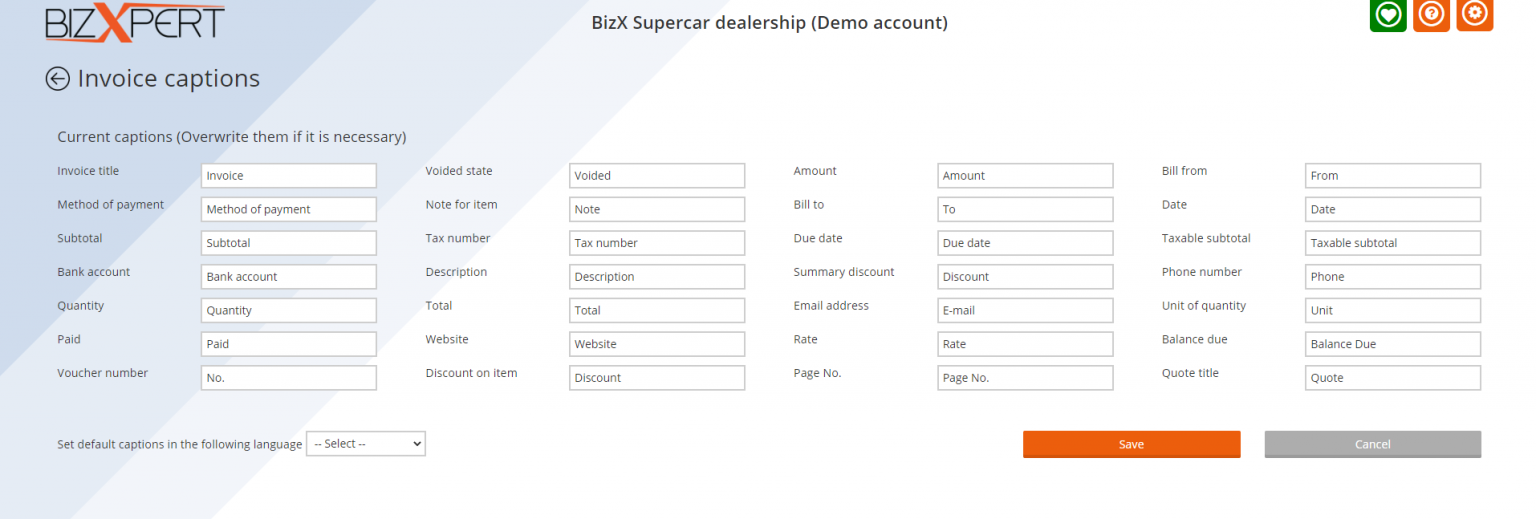
You can basically rewirte every caprtion of an invoice. How cool is that? Change the invoice language with a few clicks, or if you don't find yours, simply rewrite is for yourself. You need to to Create Tax Invoice instead of Invoice? No problem, you can do it here!
Invoice contents
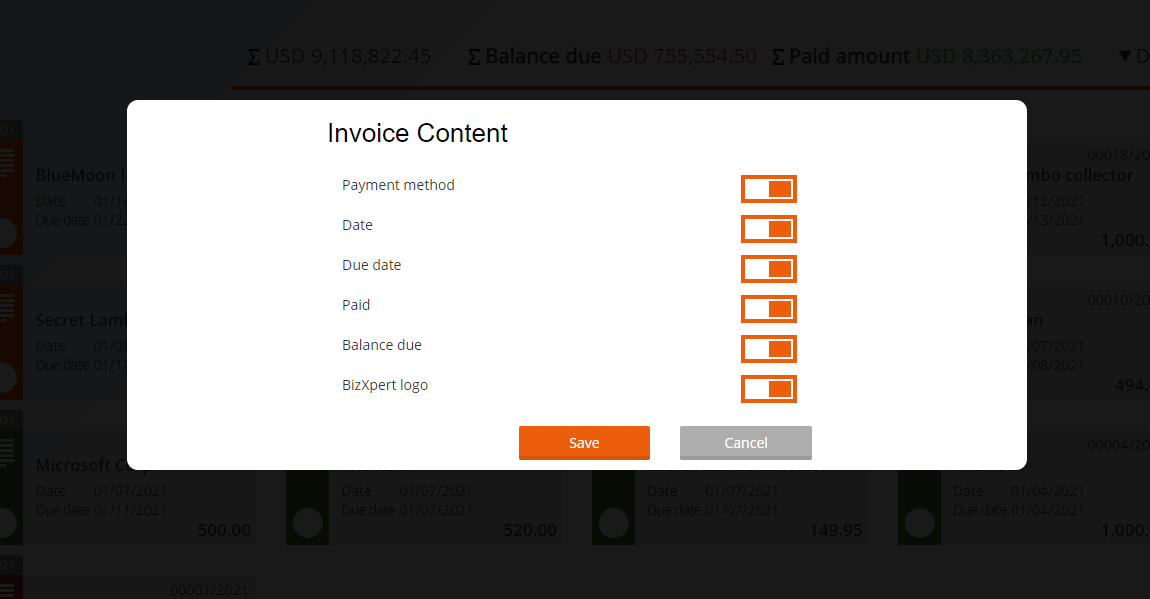
You can decide what ti show on an invoice, and what not Show or hide the Payment method, Creation date, Due date, Piad amount, Balance due You can hide the BizXpert logo from the invoices for FREE if you want
Invoice header settings
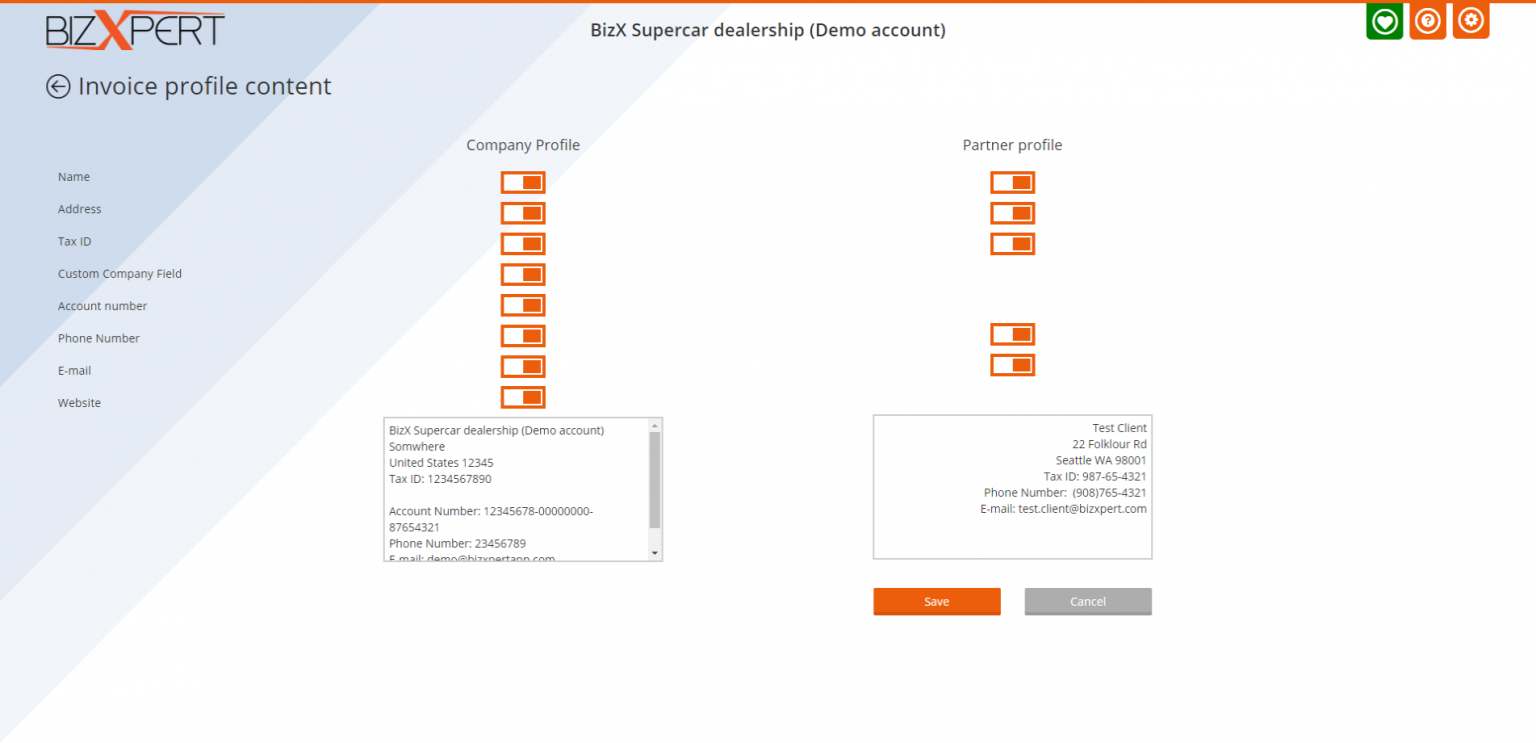
Decide almost everything what to show on an invoice header You can personalize, your and your customer profile content separetly. If you dont know nothing about your customer, or just walk in customers, turn off everything and you are done, only your data will be shown on the invoice
Invoice templates
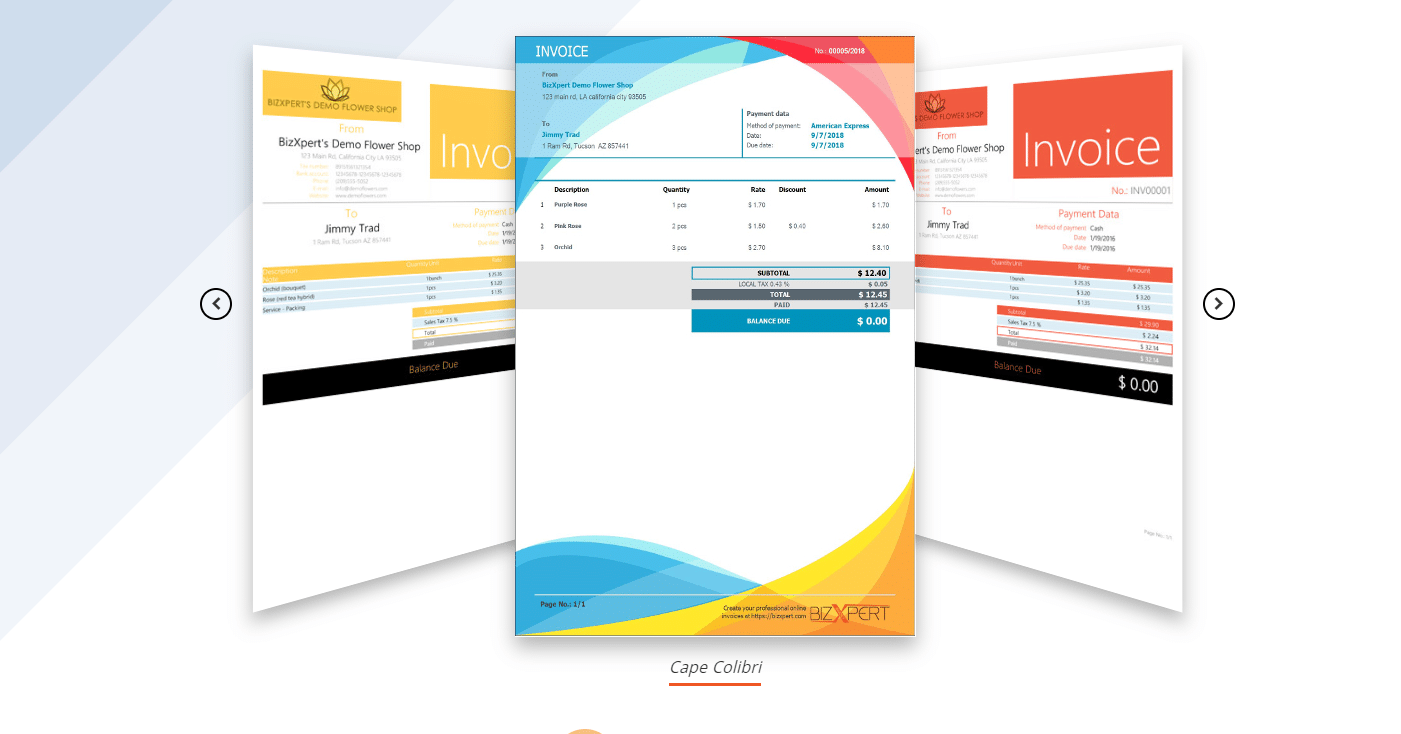
22 invoioce templates waiting for you to select your favourite one. You can select from colorful, professional, and printer friendly too. Your clients will be amazed if you send them a beautiful invoice instead of a piece of paper or a disgusting spreadsheet
Your logo
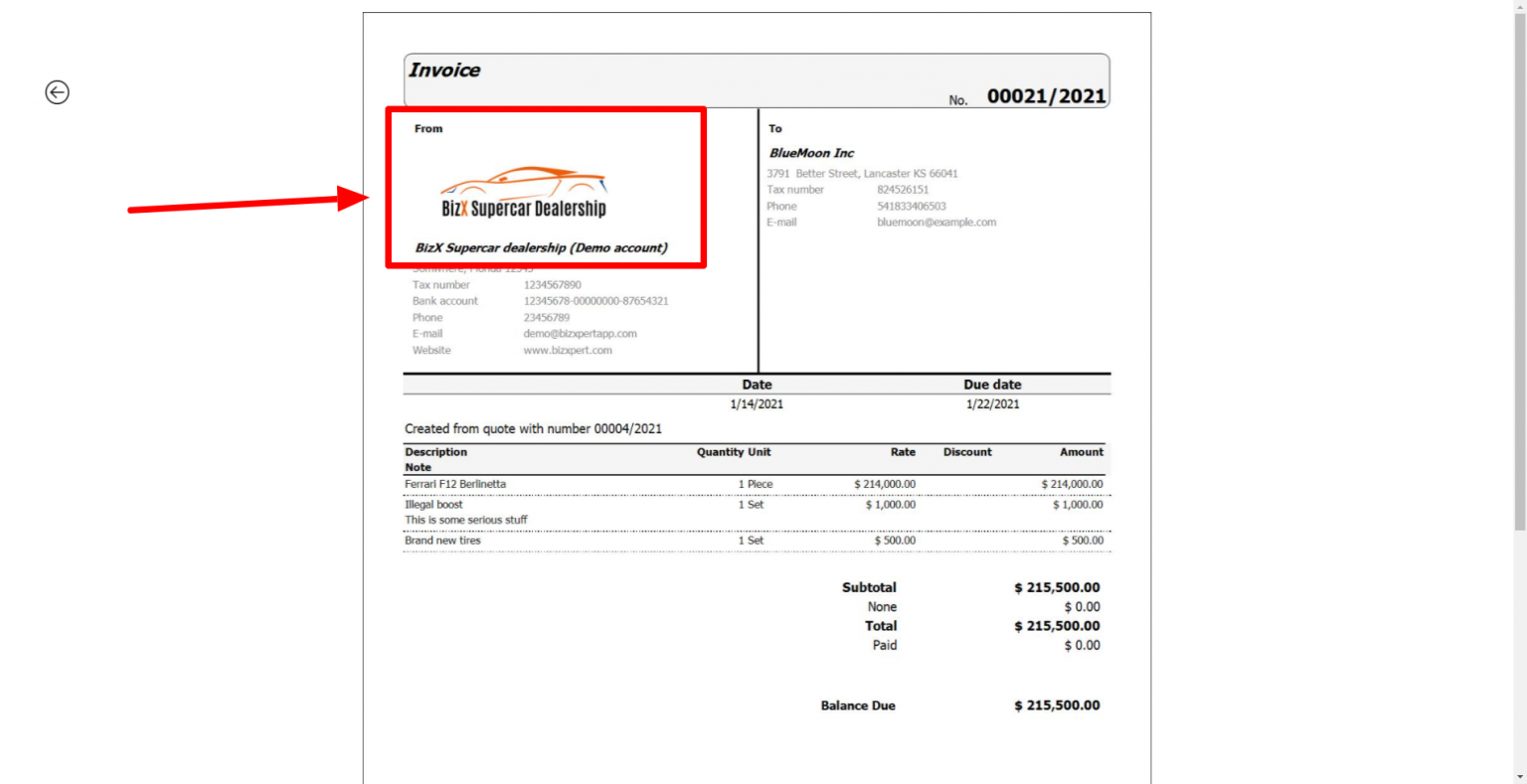
You can upload your logo to your profile contents, then your logo will automatically apear on the invoices
Unlimited invoices
You can create an unlimited amount of invoices with this free online invoice creator. You will always have acces to your invoices don't matter you are a subscriber or not
Invoice paid status
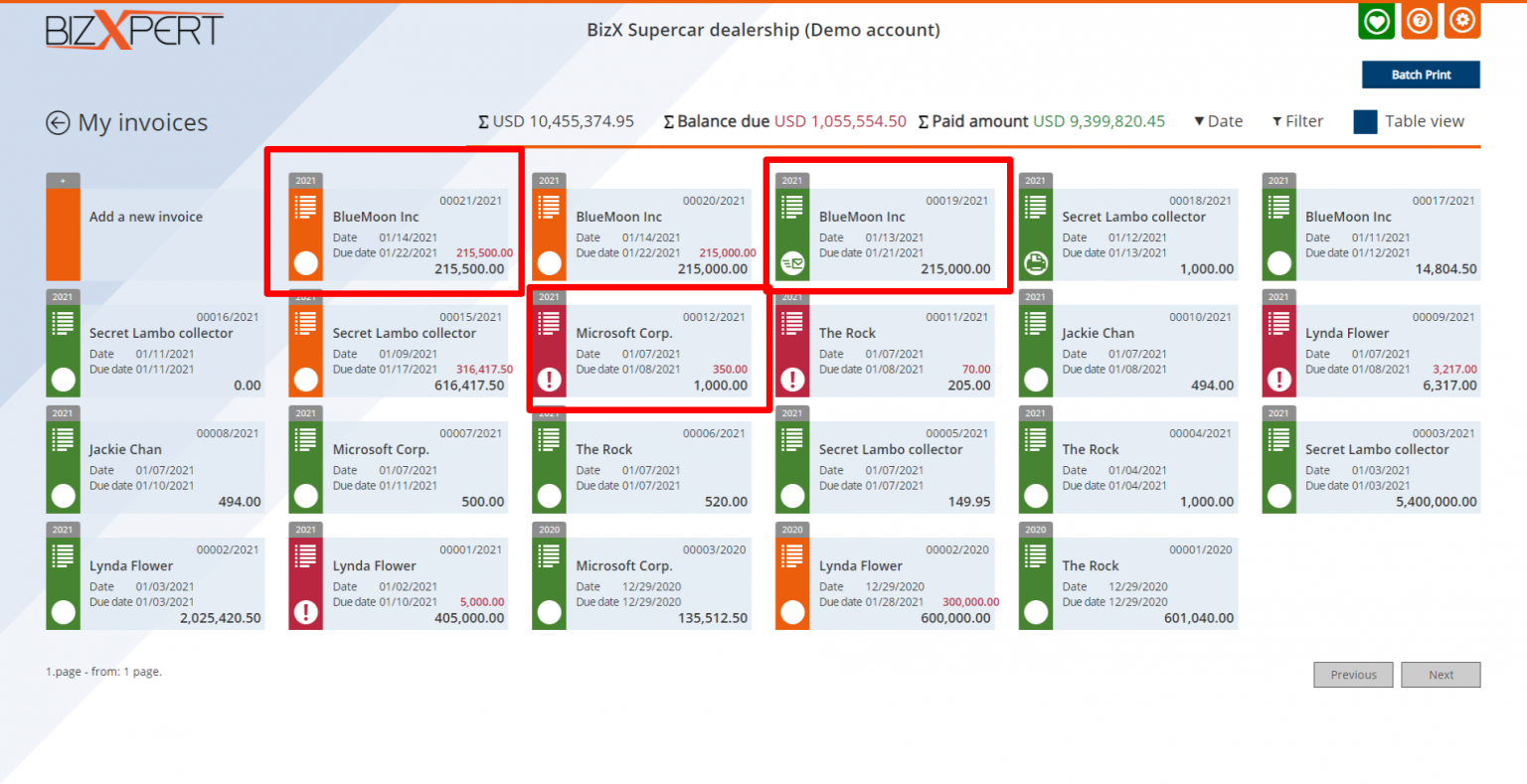
Colour coded paid statuses for the better view for your current invoice status. Green is for the paid invoices. Orange is for the unpaid invoices. Red is for the invoices for which the payment deadline has expired and has not yet been paid
Invoice payments
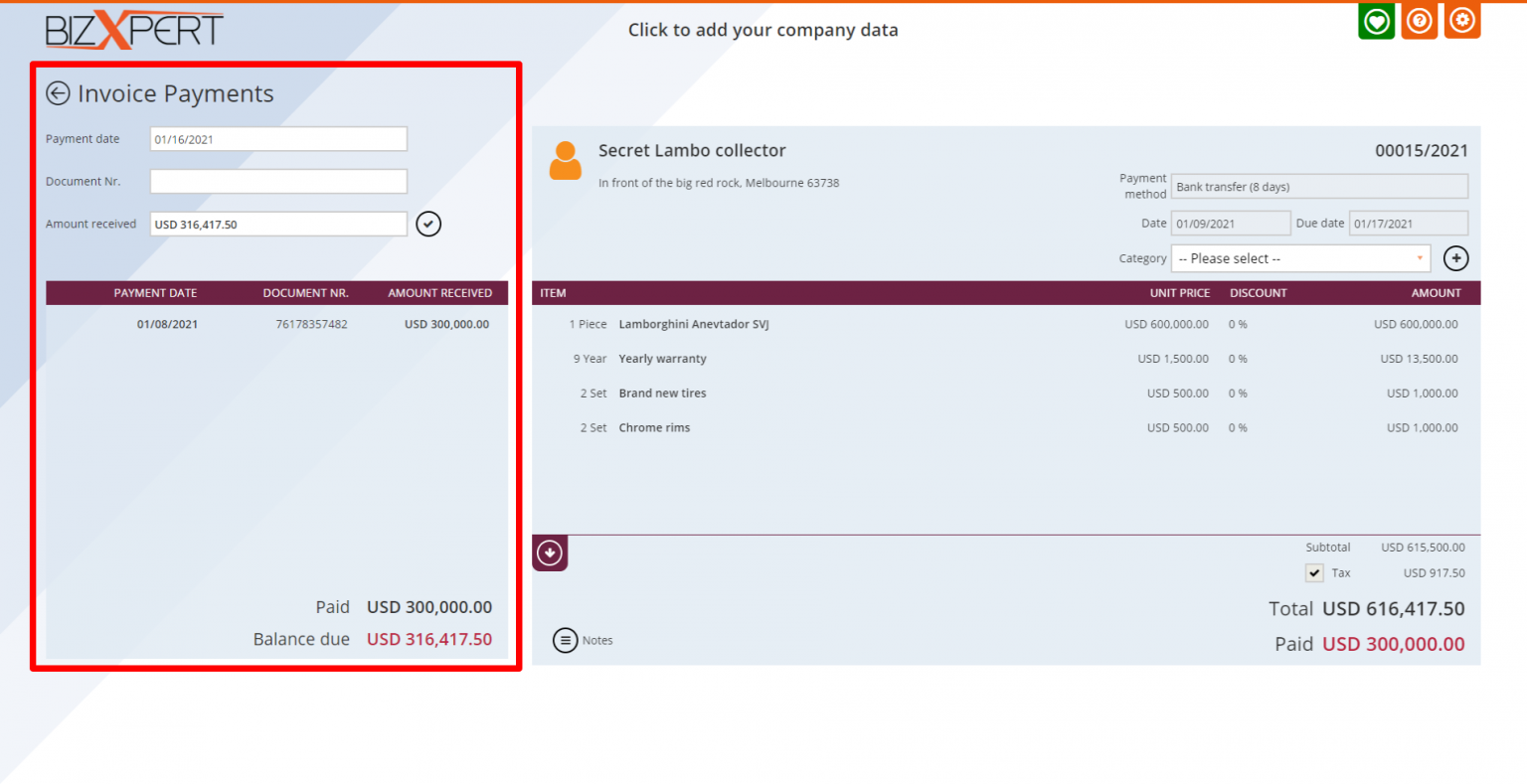
Manage full or partial payments for every invoice. Record the payment date and the document number if you want. If you issue the invoice fully paid or partial paid, a payment will be automatically created for you
Edit invoice
Something is missing or wrong on your invoice? Just open it again anytime and edit freely. Change, delete or add new partner and items, change the Payment method or anything to your existing invoice and save it again Or just don't have time to finish? Finish it later and do what you need now
Copy invoice
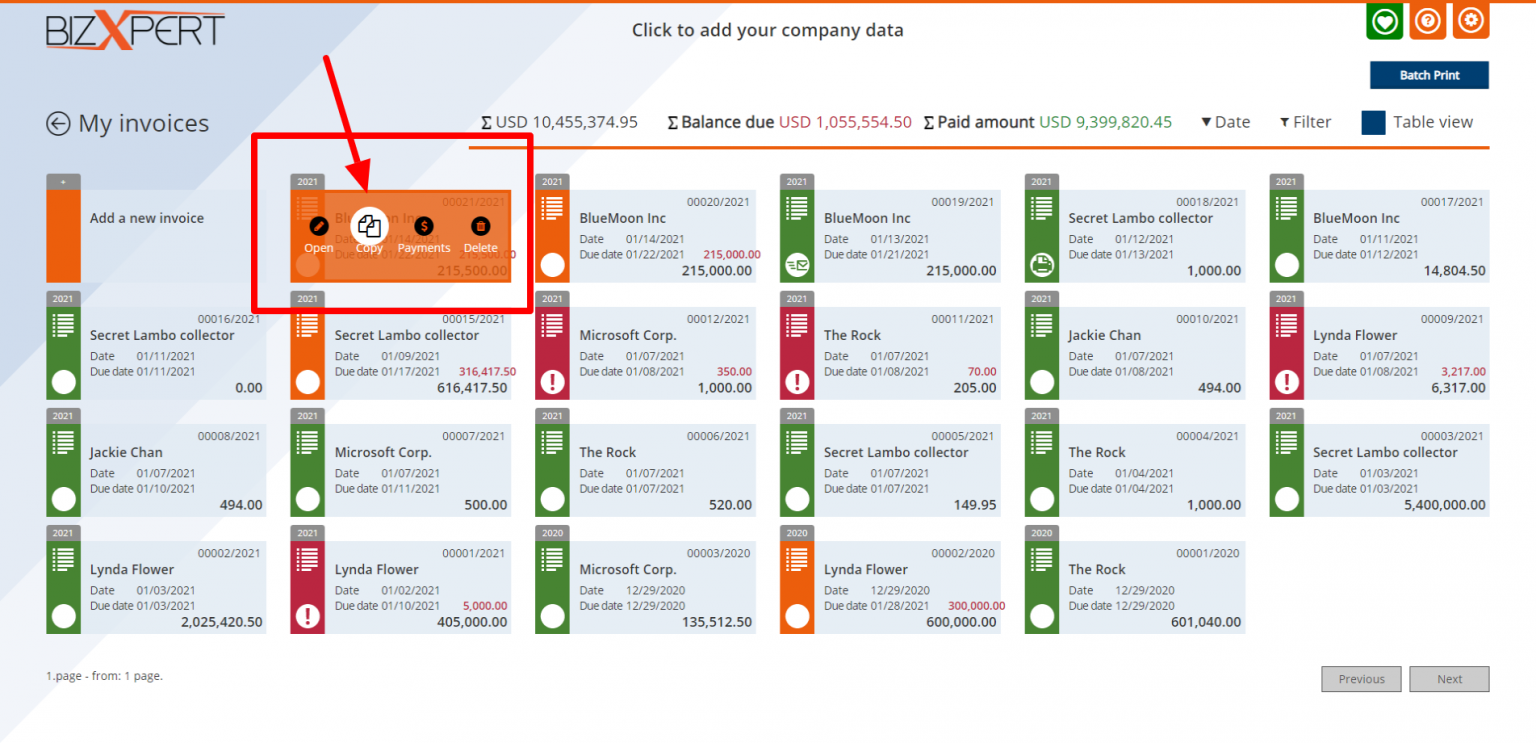
Same customer same stuff? Just hit the Copy button, and an invoice will be pre-created with the same details, but updated date and due date. Recurring work? This will save you some minutes every time.
Delete invoice
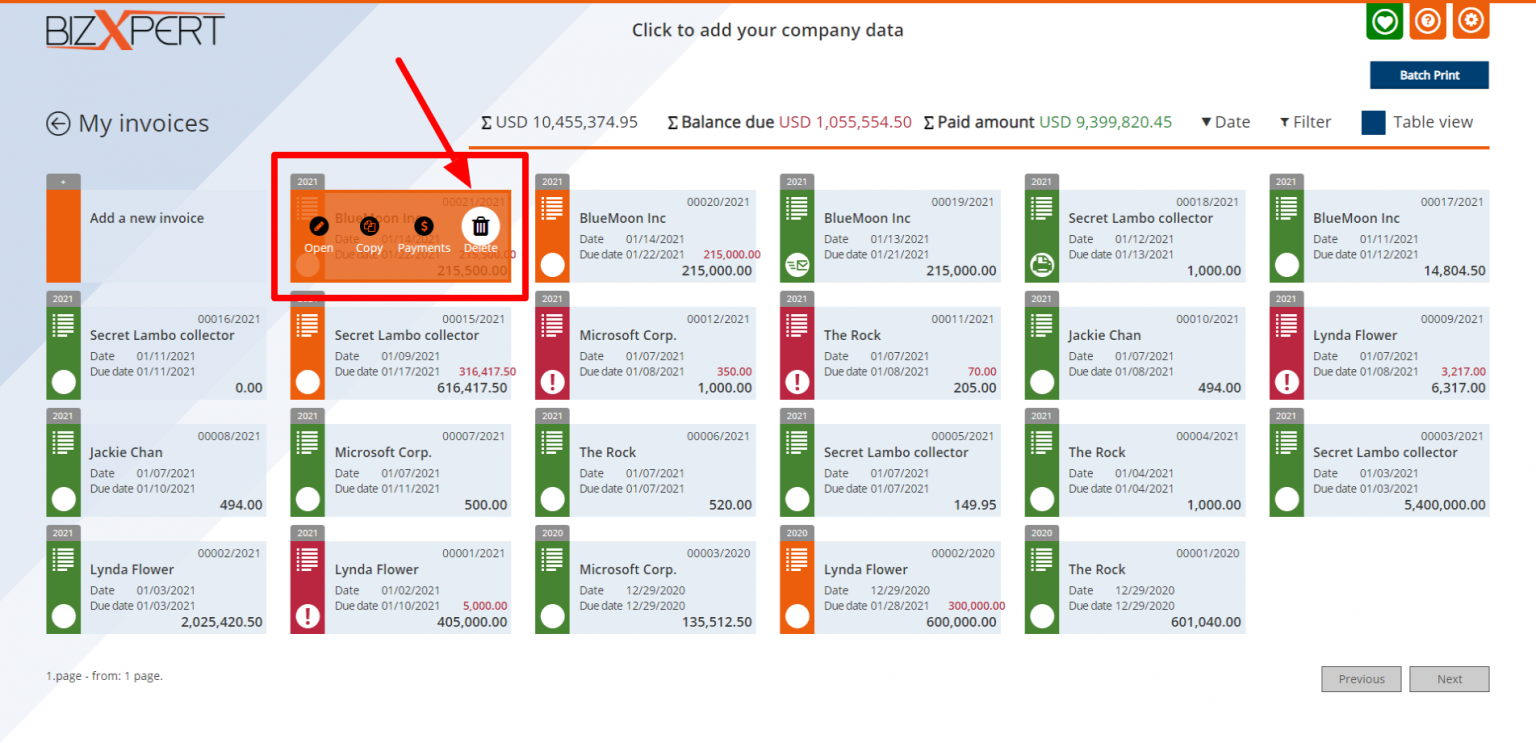
Don't need an invoice anymore, you are free to delete it anytime. The amount of the deleted invoice will be dissapeared from the reports too.

















 WhatsApp
 LinkedIn
 Facebook
 X
X
 Email
Email